TL;DR — What’s new in Uno.SDK 6.5Uno Platform Studio
- Antigravity MCP support unlocks agent-first AI workflows
- Hot Design now launches by default, with a redesigned toolbar
- New scope selector makes navigating complex UI trees effortless
Uno Platform (v6.5)
- Unicode TextBox support for robust multilingual text input
- WebView2 improvements across the board
- Expanded drag-and-drop capabilities for WASM (Skia)
- Better error diagnostics, plus major performance and stability gains
What a release! We are staying on the forefront of AI innovation while strengthening the core cross-platform .NET open-source ecosystem. The February release delivers something for everyone.
Studio users get tighter AI integration and Hot Design UX and workflow enhancements.
All users benefit from long-requested Unicode text support, further WebView2 improvements, drag-and-drop for browser targets, and a plethora of performance and stability fixes.
The numbers speak for themselves: 450+ community and customer issues resolved, delivering a faster, more stable Uno Platform experience end-to-end.
Uno Platform Studio
Antigravity support for agent-first .NET workflows
Antigravity is Google’s agent-first IDE built on top of VS Code. It is built for teams that are moving beyond “AI helps me write code” and toward agent-driven development, where multiple agents can plan, implement, and verify work across an entire feature.
Most AI coding assistants still stop at “it compiles.” Starting today, you can pair Antigravity with the Uno Platform App MCP so agents can verify behavior at runtime, exactly when they need to. An agent can launch your app, inspect the visual tree, capture screenshots, simulate clicks and inputs, and validate real UI behavior instead of guessing from static code.
Because Antigravity runs through mission control and its artifacts model, those checks are reviewable. Agents can leave behind concrete proof, like screenshots and step-by-step results, instead of a “trust me” summary.
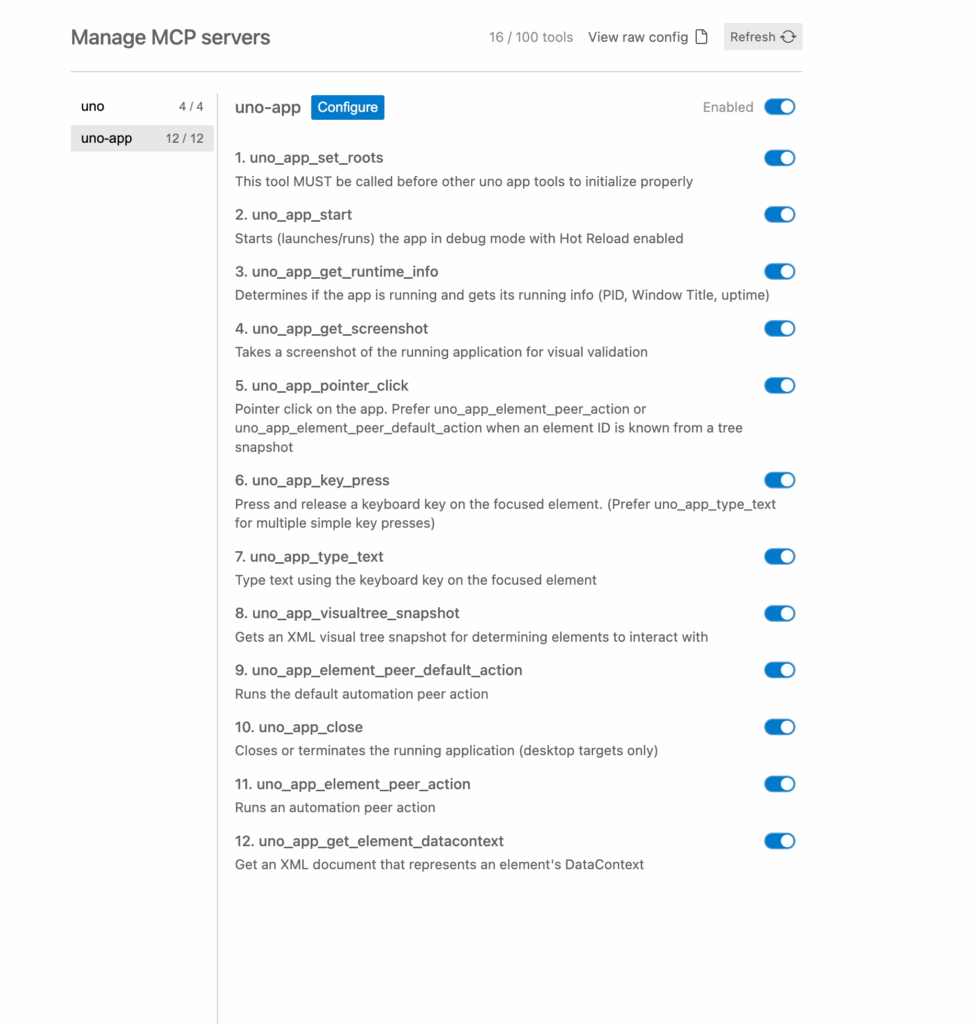
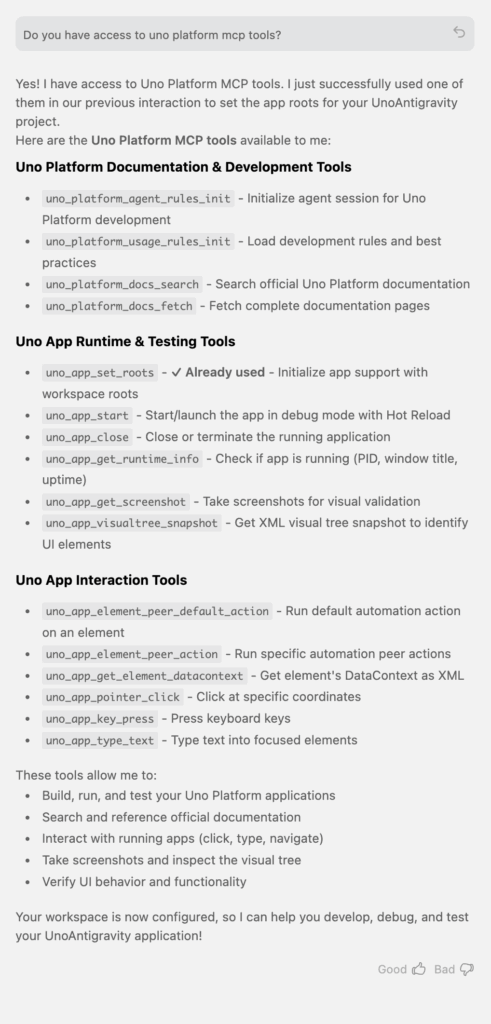
To learn more, start with the Getting Started with Uno Platform and the Antigravity Tech Bite, or dive straight into the docs.
Hot Design UX Enhancements
Launch on first run
You asked for faster onboarding into the visual design loop, and we listened. Creating a new app is now a straight shot: create the project, hit Run, and you’re dropped directly into Hot Design. No extra steps, no detours. From there, a simple toggle lets you move seamlessly between the visual design surface, Agent mode, or straight into code-behind.
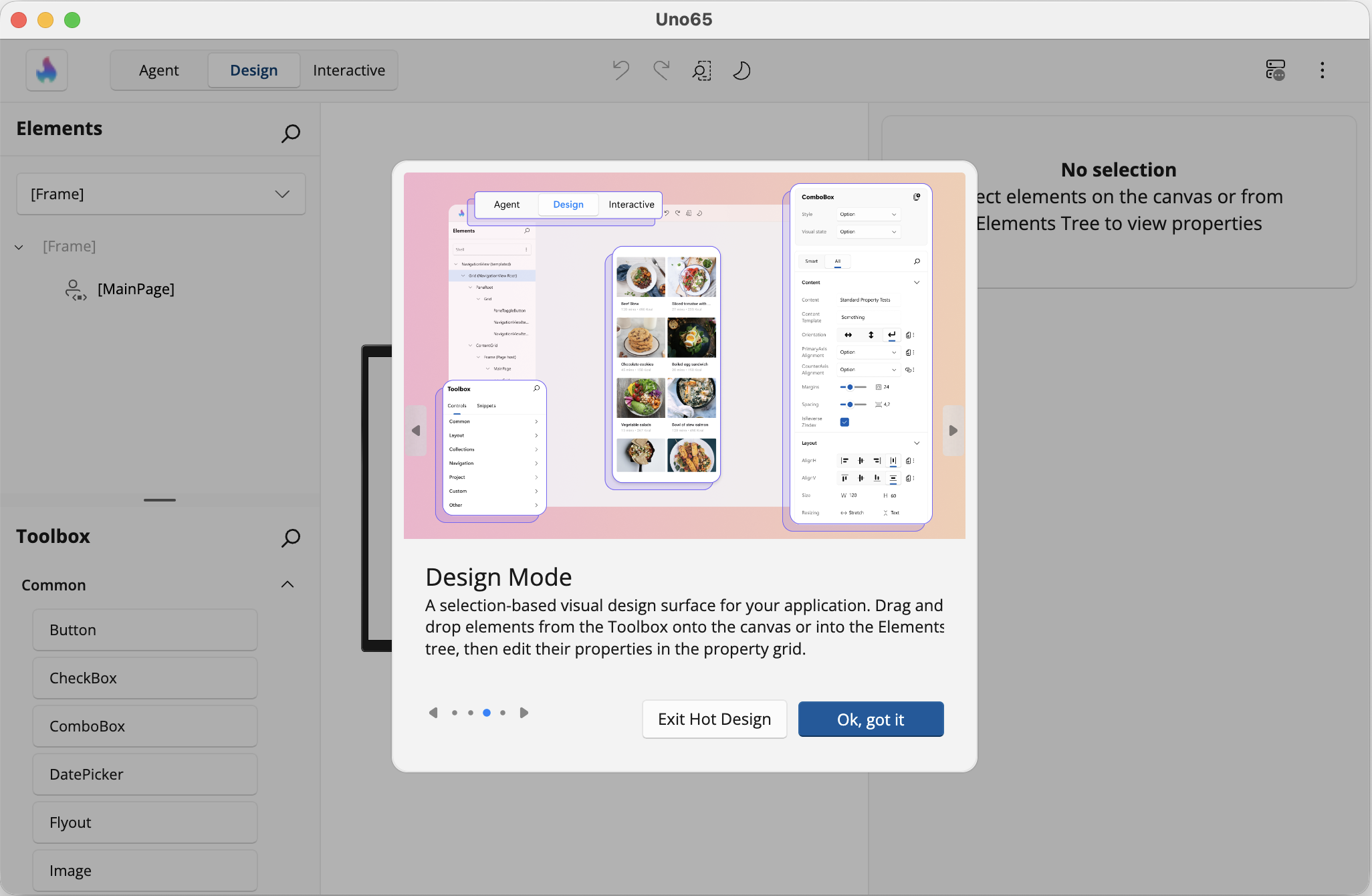
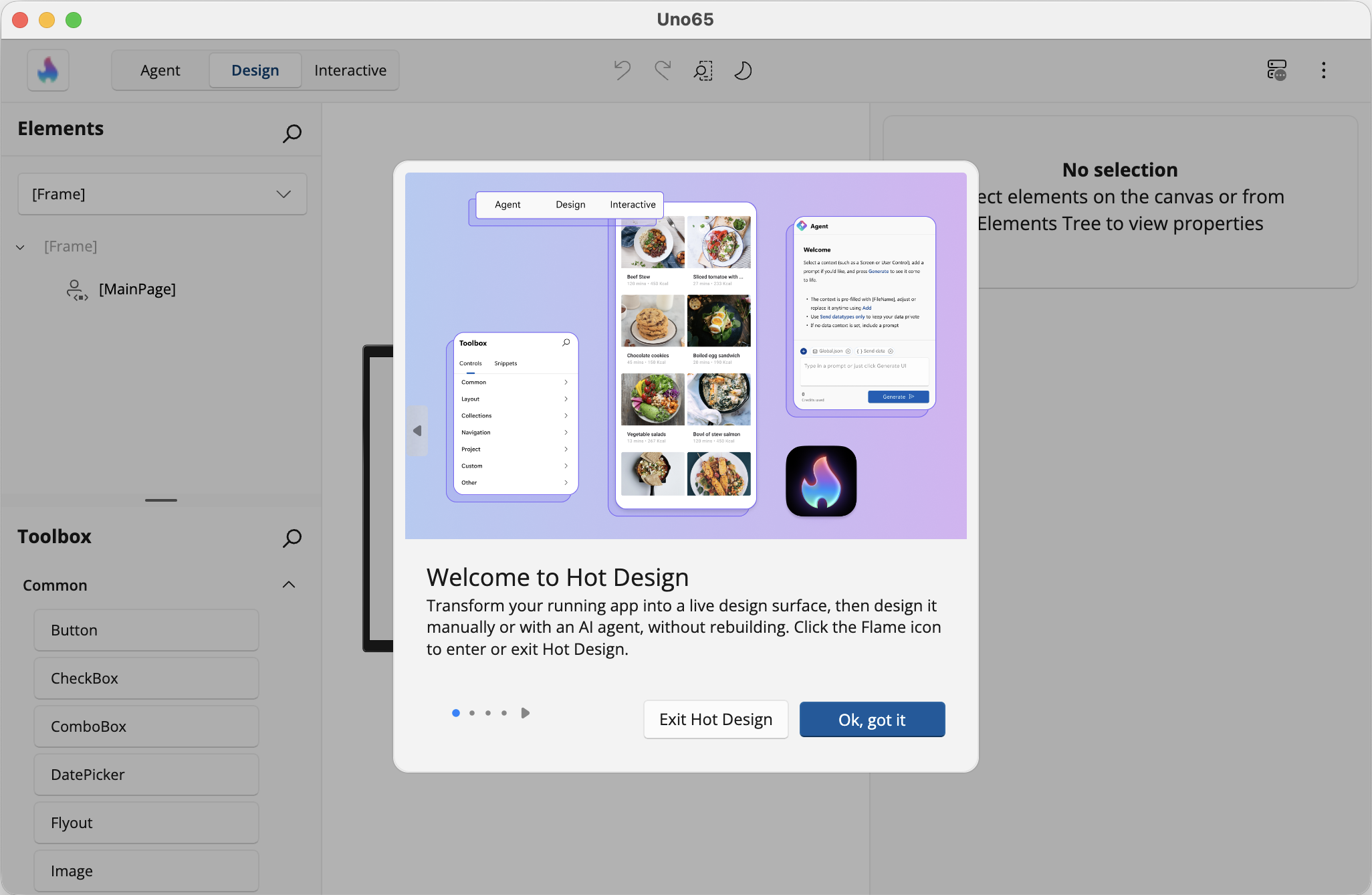
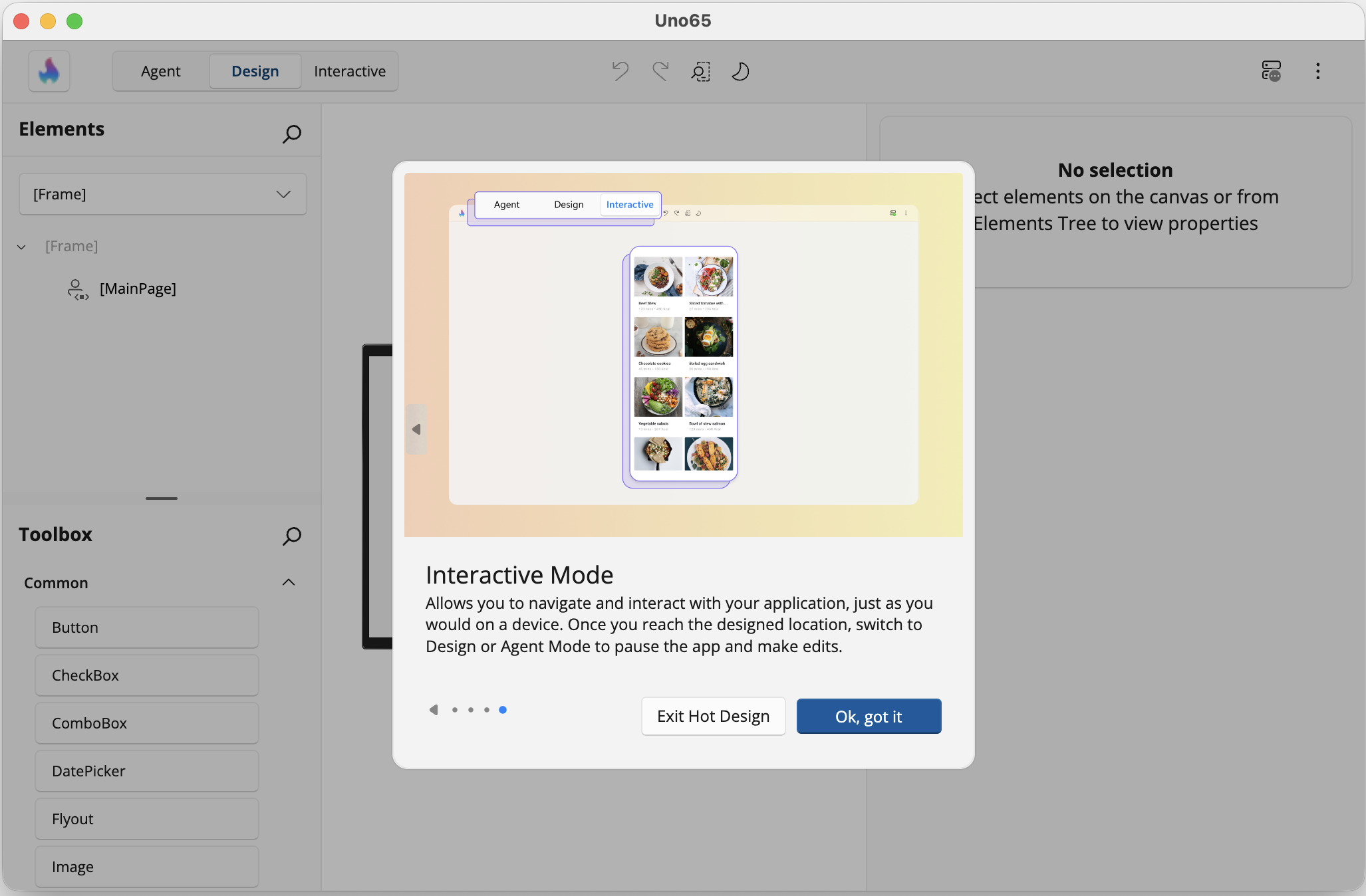
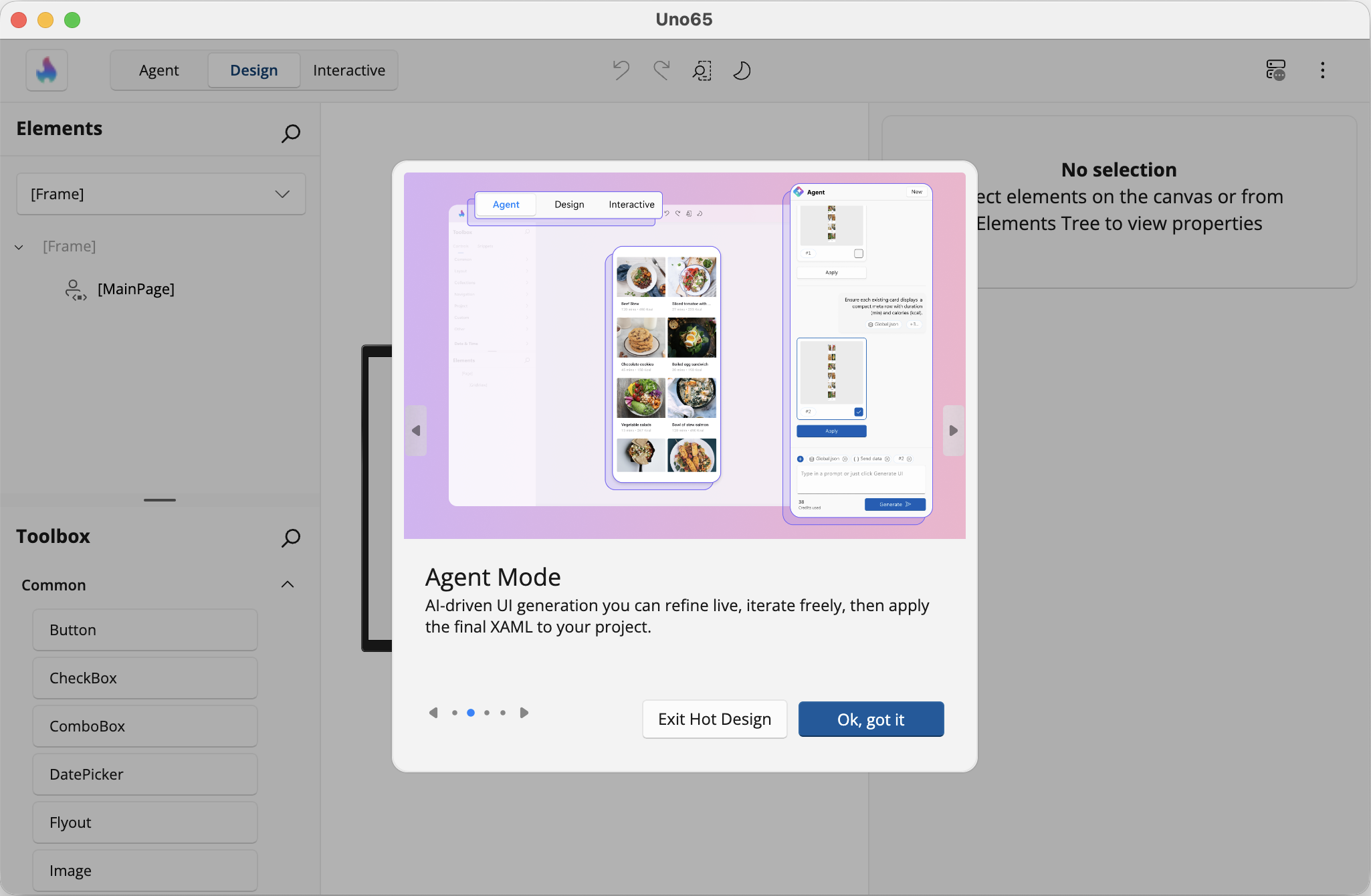
A new introductory experience walks you through the three Hot Design modes—Agent, Design, and Interactive—so you immediately understand what’s possible and when to use each. Hot Design opens in Agent mode by default, where you can scaffold entire pages or refine existing ones, starting from scratch or building on your existing view model data.
When you want more hands-on control, switch to Design mode to select, tweak, or add UI elements visually. Prefer to explore the app as a user would? Interactive mode lets you navigate through the running application without leaving the design experience.
If you’re not ready to use Hot Design, you can exit at any time and return to the running app. And Studio stays out of your way when you want it to: it remembers your last state, reopening Hot Design automatically if that’s where you were working—or staying closed if you’re focused on debugging. This behavior applies consistently across desktop, emulator, and simulator targets, including external windows.
The result: faster discovery, less friction, and a design loop that starts exactly when you do.
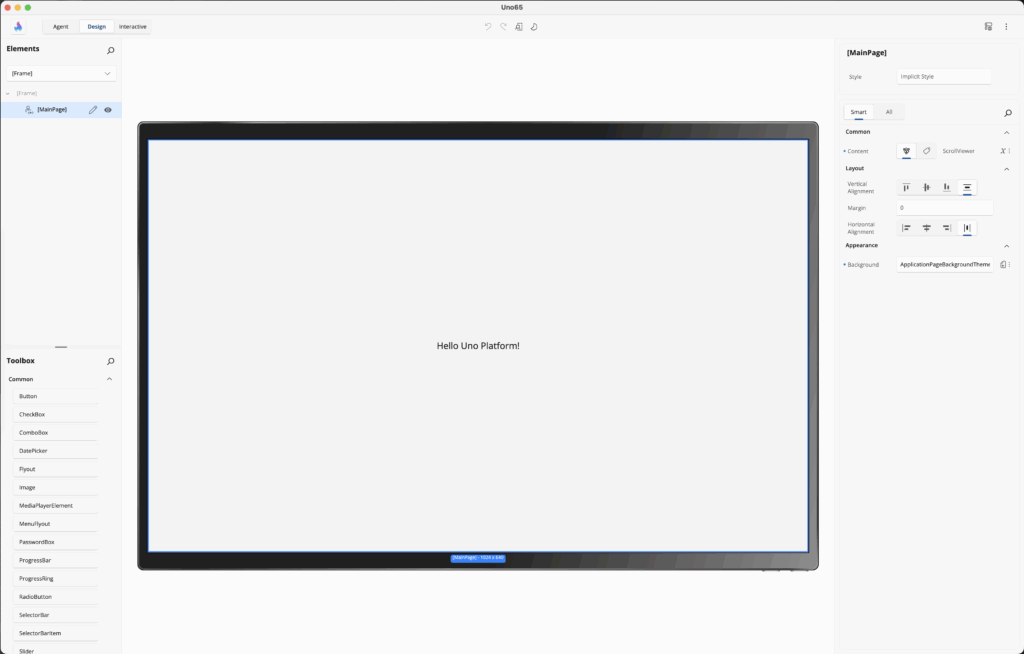
Scope Selector for UserControls and Templates
If you’ve worked with deeply nested UI (pages containing UserControls containing ControlTemplates containing DataTemplates), you know the problem: you want to edit a specific control buried three levels deep, and you’re clicking around the visual tree trying to find the right element to select.
The new Hot Design scope selector solves this by letting you jump directly to any UserControl or template visible on the current screen. Pages are now treated as UserControls for navigation purposes, so you can select into them the same way. ControlTemplates and DataTemplates are also directly navigable.
To learn more, check out the Scope Selector documentation.
Redesigned Toolbar
This change came straight from community feedback. The floating toolbar in Hot Design is now a fixed toolbar anchored to the top of the window, so the controls are always in the same place, and the UI stays out of your way while you’re coding. It’s available both in-app and in the external window.
When you’re working through the external window, a smaller floating toolbar still appears where it makes sense. Use it to toggle Hot Design from the emulator and to surface Hot Reload status. The primary controls stay anchored in one predictable place, while the rest stays out of your way.
To learn more, check out the Toolbar documentation.
Try Hot Design and Hot Design Agent
While you're exploring Hot Design, try the Hot Design Agent. Toggle Agent mode in the toolbar and prompt it to suggest UI updates, align layouts, apply styles, or reorganize components without writing XAML. All actions are transparent and reversible. Hot Design Agent is available to Uno Platform Studio subscribers and trialists.
Start your Free TrialUno Platform 6.5
TextBox Unicode Support for Localization
If you’ve only ever built apps for English-speaking markets, you’ve been working with a safety net you didn’t know existed. Latin scripts are forgiving. Codepoints map cleanly to selection works how you’d expect, and caret positioning doesn’t require special handling.
Then you try to render Arabic. Or Mandarin. Or Hindi. And you discover that text rendering isn’t just “draw characters in order.” Scripts flow right-to-left. Characters combine into ligatures. A single grapheme cluster can span multiple Unicode code points. Your caret lands in the middle of a character instead of between characters.
TextBox now renders non-Latin scripts (Mandarin, Arabic, Hindi, and anything else Unicode throws at it) with proper caret positioning, text selection, and keyboard navigation. Mouse selection across multi-byte characters works. Arrow keys move between grapheme clusters instead of codepoints. Text editing behaves like users expect, regardless of script complexity.
<TextBox Text="مرحبا بالعالم" />  <!-- Arabic, right-to-left -->
<TextBox Text="你好世界" />        <!-- Mandarin, multi-byte -->
<TextBox Text="नमस्ते दुनिया" />   <!-- Hindi, complex ligatures -->
This includes visual output plus mouse and keyboard interaction (moving between characters, selection). Input Method Editors (IME) for composition-based languages like Chinese, Japanese, and Korean are not yet supported. If your keyboard outputs characters directly, it works. If you need an IME to compose characters, that’s pending.
WebView2 Enhancements
WebView2 on WebAssembly is now more reliable when loading local, app-bundled web assets (HTML/CSS/JS/images) through local content mapping. In practice, that means fewer “it works on desktop but not on WASM” moments when you’re hosting hybrid UI, embedded docs, or offline pages inside a WebView2.
Uno Platform continues to ship WebView2 as part of the OSS stack at no additional cost.
Check out How to Get Started using WebView 2 with Uno Platform.
For detailed usage, see the WebView2 documentation.
Drag and Drop Support for Wasm with Skia Renderer
Drag-and-drop on WASM (Skia) now handles more real-world scenarios, including file drops from external applications and the operating system. The result is a more native file upload experience in Uno Platform apps, fewer custom JavaScript workarounds, and feature parity with the native WASM target.
Stability Across Every Target
Feature releases get the attention, but the work that keeps production apps running happens in the fixes. Uno Platform 6.5 includes a broad set of stability improvements spanning every supported target: WebAssembly, iOS, Android, macOS, Windows and Linux.
App startup and navigation are more reliable. We made improvements to many of the core controls, including TextBox, ProgressRing, ListView, PasswordBox, MenuFlyout, and more. WebView is more robust across platforms. The Skia rendering backend also handles more scenarios consistently, particularly around text and layout, where minor inconsistencies previously required workarounds.
None of these are the kind of changes that make a headline. They’re the kind that stop you from filing an issue.
Uno Platform 6.5 Community Standup
If you want a quick, no-fluff walkthrough of what’s new and how it helps you build modern cross-platform .NET apps faster with less friction, join us for our first community standup. February 19, 2026 · 11:00 AM ET Add to Calendar
Try Uno Platform & Uno Platform Studio
With Uno Platform 6.5, there’s never been a better time to ship cross-platform .NET apps—stronger WebAssembly + Skia parity, smoother Hot Design workflows, better localization/Unicode support, and runtime verification via Antigravity App MCP so your AI agent can actually see what it’s building.
- Upgrade to 6.5: Update your IDE extensions, move to the latest stable Uno.Sdk and follow the migration guide to cover any breaking changes.
- Try Hot Design: to get a proper visual-designer workflow, including the latest Hot Design and Hot Design Agent updates.
- Build with AI (for real): our newest agent-first Uno Tech Bites get you up and running quickly with the patterns and tooling that actually hold up in real projects.
- Join the community: Share what you’re building, ask questions, and swap notes with the team and other developers on GitHub and Discord.