Announcing Uno Platform Studio 3.0. Create and design cross-platform .NET apps within minutes, directly in your browser, using Uno Platform Studio Agent. No installs required.
AI coding tools are everywhere. GitHub Copilot, Claude, Codex, and a growing list of agents can now generate code at remarkable speed and quality. For many developers, that is already a productivity gain.
For enterprises, generating code is not the same as building a real application. Enterprise applications need design system awareness, live runtime context, cross-platform consistency, UI validation, and a human reviewer who can say yes or no. Without that surrounding layer, even the best agent is guessing.
That is the gap Uno Platform Studio 3.0 closes.
The release highlight is Uno Platform Studio Agent and the Uno Platform Studio App. We are opening the front door to them with Uno Platform Studio App on the web: a brand-new, browser-based way to go from a prompt to a working Uno Platform app in minutes. This is the fastest path from idea to a .NET app that runs everywhere .NET runs.
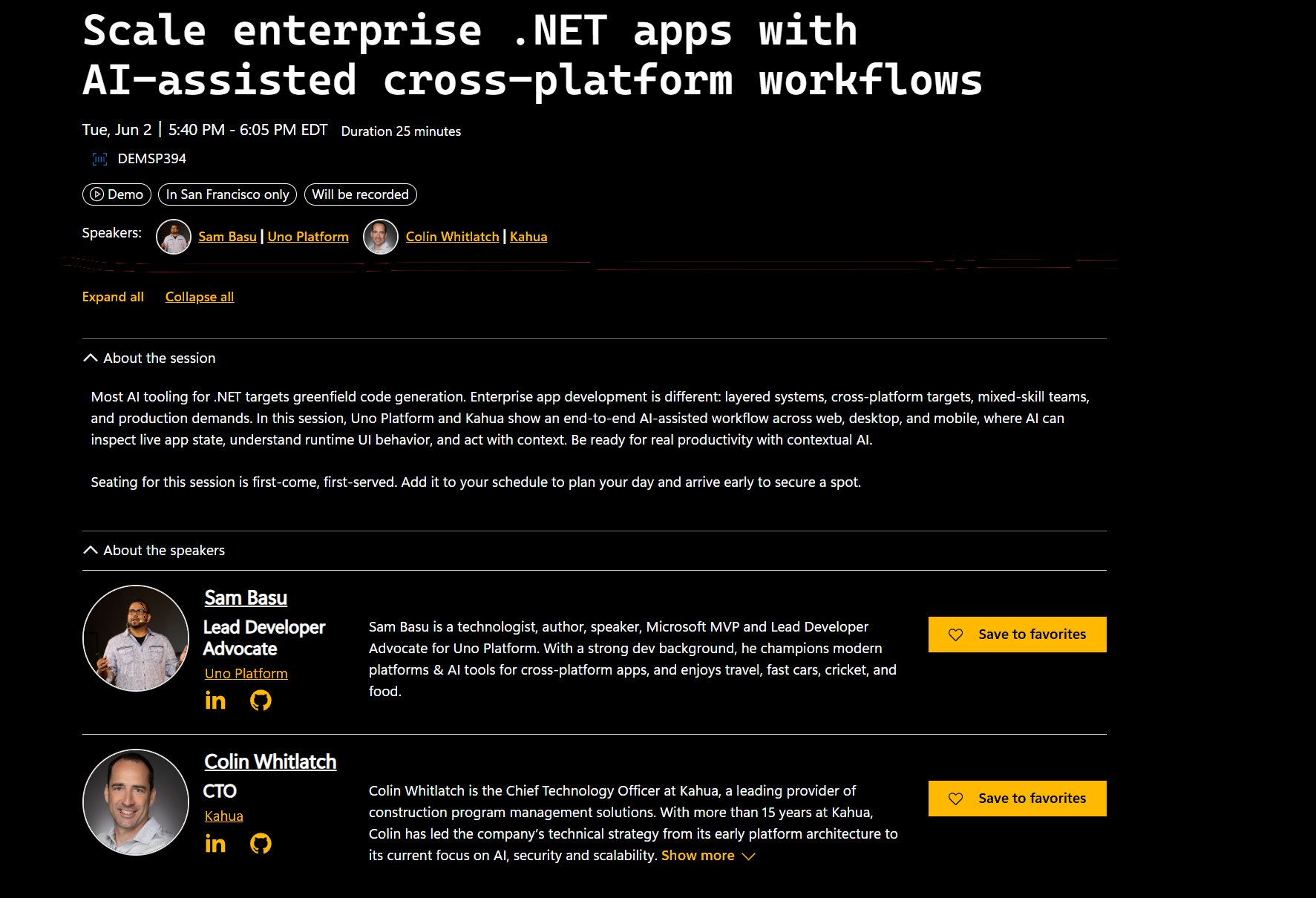
We are announcing Uno Platform Studio 3.0 at Microsoft Build, where we will be joined by Kahua, our largest customer, for the session "Scale enterprise .NET apps with AI-assisted cross-platform workflows." Together, we will show how AI-assisted cross-platform workflows help enterprise .NET teams modernize, build, and scale real applications.
To celebrate the launch, we are offering 20% off new purchases with promo code UNOBUILD26, valid through June 30, 2026. Try it now →
Uno Platform Studio Agent
Behind Studio 3.0 sits Uno Platform Studio Agent, the orchestration layer that connects AI models to the Uno Platform development workflow. It is what turns a generic AI model into a Uno Platform-aware development assistant.
- Deep contextual domain knowledge for building cross-platform .NET apps with the Uno Platform stack
- Context window management with user prompts
- App scaffolding guidance based on best practices
- Grounded in latest Uno Platform docs
- MCP tool invocation to verify AI work
- Uno Platform-specific skills (70+ at launch)
- Human-AI loops with contextual tools
The combination of Uno Platform Studio Agent and Uno Platform Studio App means .NET developers have a fast pass at going from idea to cross-platform reality with powerful agentic workflows.
Uno Platform Studio App: Start from a Prompt, Scaffold Your App, Export to IDE/CLI
Open a browser. Describe the app you want. Watch a cross-platform .NET application scaffold in front of you. Because it uses Uno Platform, the application is built with the right foundations from the start.
The browser-based experience is designed to remove the friction between an idea and a working app. No install step, no project template wrestling, no waiting before you see your first screen.
- Start from a prompt. Describe the app you have in mind, in your own words, and let Studio App scaffold a Uno Platform project to match.
- Choose from 10+ predefined prompts. Pick from a curated library that covers common app shapes: dashboards, ordering flows, line-of-business patterns, and more. Each one drops you into a working app, ready to iterate.
- Preview your app immediately. Studio App shows you the running result, not just generated code.
- Iterate quickly. Refine your prompt, change the structure, restyle the UI, and see the updated app on the spot. Or tweak the app using Hot Design in the browser without spending AI tokens.
- Continue in Studio App, or export and keep going. Continue iterating in the browser or export the project and continue in your preferred IDE or an agentic CLI environment.
For .NET teams that want to evaluate AI-assisted cross-platform development before committing, Studio App is the easiest possible on-ramp. For experienced Uno Platform developers, it is a fast way to bootstrap a new project, prototype a feature, or sketch out a new screen without leaving the browser.
Uno Platform Studio Skills
This first wave of over 70 skills spans the full app lifecycle, from visual design through navigation, state management, and testing:
- Themes and Material skills apply semantic color palettes, typography scales, button and TextBox variants, FABs, and lightweight styling overrides, keeping brand identity consistent across every target platform.
- MVUX skills cover architecture and data flow, with guidance on immutable records, reactive feeds and states, commands, selection, pagination, and entity messaging for clean, predictable apps.
- Navigation skills handle setup, route registration, regions, dialogs, tab bars, NavigationView sidebars, responsive shells, and troubleshooting.
- Toolkit skills round out the UI with AutoLayout, cards, chips, drawers, SafeArea, shadows, responsive extensions, and dozens of control behaviors.
- Testing skills close the loop with UI automation through the Uno App MCP server and reliable assertion patterns.
Why Invest in a .NET AI Development Productivity Platform?
It is a fair question. If a developer already has Copilot, Claude, or Codex, why add anything?
The short answer: because those tools are powerful, but they do not understand your app.
A generic agent can write a XAML page or a C# class. What it usually cannot do on its own is:
- See the live visual tree of the running application
- Know the design system, theme, and component library the team has standardized on
- Validate that a change renders correctly across web, desktop, mobile, and embedded targets
- Pull context from official, version-correct Uno Platform documentation
- Stay inside an approval workflow that a human controls
Uno Platform Studio 3.0 is the layer that supplies all of that. Through Studio App, Hot Reload, Hot Design, Docs MCP, and App MCP, any agent gets the correct context. The result is an agent that stops generating plausible code and starts producing changes that fit the app.
Uno Platform Studio Agent does not replace Copilot, Claude, Codex, or any other agent. If you are already productive using one of those agents, Uno Platform MCPs give them the context, surface area, harness, and validation loop they need to be productive in real enterprise .NET applications.
The .NET ecosystem is unlike any other. It carries decades of investment in enterprise applications, an established design language, deep tooling expectations, and a developer community that expects rigor. Creating a productivity platform is not something that can be assembled by wrapping an LLM. It is the result of years of platform work.
The Enterprise Wedge: Modernization and Cross-Platform Workflows
Enterprise .NET teams are not chasing vibes. They are managing portfolios of important applications: internal tools, customer-facing systems, line-of-business apps, and modernization projects that have been waiting on the roadmap for years.
- Modernize WPF, WinForms, and Xamarin.Forms applications without rewriting from scratch
- Continue and accelerate .NET and modern Uno Platform development
- Ship apps to multiple platforms from one codebase
- Move faster on internal business apps without losing architectural discipline
- Work through legacy UI backlogs that have been blocking new business priorities
Enterprise teams do not just need code generation. They need productivity gains with reliability, governance, maintainability, and architectural consistency. They need developers to stay in control. Uno Platform Studio 3.0 is designed exactly for that workload.
Launch Promotion
To celebrate the launch of Uno Platform Studio 3.0, we are offering 20% off new purchases with promo code UNOBUILD26, valid through June 30, 2026. The promotion applies to both monthly and annual purchases, and stacks with the standard 16% annual discount for customers who choose annual billing.
Microsoft Build and Kahua: AI-Native .NET, In the Real World
Studio 3.0 is launching at Microsoft Build, and we are not launching it alone. We will be joined on stage by Kahua, our largest customer, for the session:
Scale enterprise .NET apps with AI-assisted cross-platform workflows
Kahua builds construction management software that runs on the kinds of timelines and platforms that do not forgive surprises. Their story is exactly the story Studio 3.0 is built for: a serious .NET application portfolio, real cross-platform demands, and a need to move faster without sacrificing quality.
The session will walk through what AI-assisted cross-platform workflows actually look like inside a large .NET engineering organization: what changes, what gets faster, and what stays under human control.
Now It's Your Turn
Uno Platform Studio 3.0 is ready for you. Whether you are evaluating AI-assisted .NET development in your browser, modernizing a WPF estate, shipping new cross-platform apps, or scaling AI workflows across a whole team, this release is built for the work you are doing.
AI agents are powerful, but they need context. Uno Platform Studio 3.0 gives .NET developers and their agents the context, harness, feedback loop, and cross-platform foundation they need to build real enterprise apps faster, from the first prompt in Studio App to the production release on every platform.
We cannot wait to see what you build with it.
Uno Platform Team