Uno Platform 7.0 is out. By commits, files, and lines changed, it is the largest release we have shipped.
AI agents can write code faster than ever. What turns that code into a great application is the foundation underneath it: how fast it runs, how small it ships, how many platforms it reaches, and how faithfully it behaves the way you and your agents expect. Uno Platform 7.0 strengthens every one of those layers.
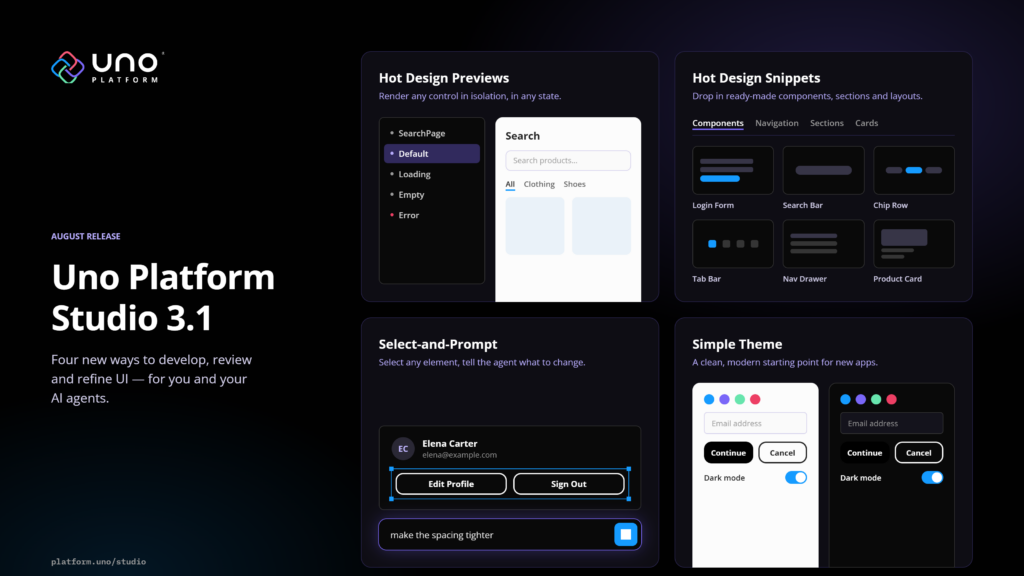
Alongside it, we are releasing Uno Platform Studio 3.3, a workbench where developers and AI agents create applications together, built on that same foundation.
What’s new in Uno Platform 7.0:
Faster, smaller, less overhead
Compared with 6.7, Uno Platform 7.0 is about 2x faster and 5x smaller, with some core operations up to 38x faster, without changing how you work.
Every target renders through one pluggable pipeline. SkiaSharp 4 is the default, and a new WebGPU backend is available as an opt-in.
Third-party .NET MAUI controls now run on every Uno Platform target, including the web and Linux. .NET MAUI developers can bring existing apps to the browser and Linux through our .NET MAUI handlers.
Microsoft.UI.Reactor, Microsoft’s declarative, state-driven framework, now runs on every Uno Platform target, with no XAML.
Extend an existing .NET application to Apple TV without rebuilding the UI or keeping a separate codebase.
Uno Platform 7.0 supports .NET 11 alongside .NET 10, shipped in step with Microsoft. Uno Platform is now a co-maintainer of SkiaSharp, the graphics library at the heart of its rendering pipeline.
New RichTextBlock and RichEditBox bring rich text display and editing to every target, and widen third-party control support, including the Windows Community Toolkit.
WinUI’s own default styles and controls ported from WinUI’s sources, including the current ItemsRepeater, the new LinedFlowLayout, and an improved TitleBar, so the APIs you and your agents already know behave the same way on every platform.
Built in step with Microsoft, Uno Platform 7.0 brings the latest .NET and Windows UI innovations to more platforms while deepening our contribution to the open-source foundations that power them.
Getting started takes minutes with Uno Platform Studio, from your browser or your desktop.
Uno Platform 7.0 by the numbers.
Faster and leaner on every target
About 2x faster and 5x smaller than 6.7
Performance was a cornerstone of this release, and you should feel it the moment you run your application on 7.0: pages come up faster, lists scroll more smoothly, and there is less memory churn. These gains come from years of optimization work under the surface.
Uno Platform 7.0 vs 6.7, on the same benchmarks.
| Area | 6.7 → 7.0 |
|---|---|
| UI creation | Border 18× faster, 33% less memory |
| Data and lists | DataContext 2.4× and ItemsRepeater 2.7× faster |
| Layout | Allocations down from 40 KB to 51 B |
| Text | Measurement 3.4 to 4.3× faster, rearrangement 6.8× faster |
| Startup and restore | Allocations from 7.7 MB to 3.4 MB, restore disk usage 38% lower |
| WebAssembly | Border 9.5× faster, DataContext and text 2× faster, Grid allocations down to 0 B |
The result is a smoother UI under load and, on battery-powered devices, real power savings.
Smooth scrolling at 120 FPS, everywhere
Scrolling is synchronized with the display’s refresh rate
Every frame counts. On a 120 Hz screen, scrolling only looks smooth when the content moves on every frame. In 7.0, scrolling is synchronized with the display’s refresh rate, so lists glide with natural momentum and flings feel native.
Frame coverage while scrolling, 7.0 vs 6.7.
Improvements on specific platforms.
One rendering engine, two backends
SkiaSharp 4 by default, WebGPU as an opt-in
A pluggable rendering architecture lets you adopt new rendering technology without rebuilding your apps, and cuts platform-specific maintenance.
Uno Platform 7.0 unifies rendering across Android, iOS, tvOS, WebAssembly, Windows, macOS, and Linux: consistent results and fixes that apply everywhere, while native features such as maps and video players stay reachable.
SkiaSharp 4 is the default
The Skia backend now ships on SkiaSharp 4 by default, the first major SkiaSharp version built with Uno Platform as a co-maintainer alongside the .NET team at Microsoft. That gives our engineers a direct role in SkiaSharp’s releases, triage, and roadmap, so issues that affect cross-platform rendering get fixed faster. On Android, Windows, and Linux it now renders through Vulkan by default.
A new WebGPU backend
WebGPU joins Skia as a rendering option in Uno Platform 7.0, available on Windows, Linux, macOS, Android, iOS, and WebAssembly. It gives you a choice in how your app is drawn, without tying you to one rendering technology.
This works because drawing now goes through a backend-neutral layer underneath the compositor. The WebGPU backend is built on wgpu-native on desktop and mobile, and on the browser’s own WebGPU support in WebAssembly. The same layer brings managed, SkiaSharp-free implementations of geometry, fonts, image decoding, and SVG.
Rendering with the WebGPU backend can bring sizeable gains. Depending on the scene, we have measured up to a 50% improvement in frames per second.
An app that uses only WebGPU ships without SkiaSharp at all, which removes about 6 MB of uncompressed native code from WebAssembly apps: smaller downloads for your users, and a more flexible foundation for future rendering technologies.
To try it, add WebGpu to your UnoFeatures and register the backend on your host builder. WebGPU is experimental and opt-in for now, so give it a spin and tell us what you build with it.
Bring your own WebGPU code. The new WebGpuCanvasElement lets you draw with your own WebGPU commands inside your UI, on the same device the rest of your app renders with and with no copy, so a custom 3D view or visualization sits beside your XAML like any other control.
.NET MAUI controls on every Uno Platform target, and .NET MAUI on the web and Linux
Another contribution to the .NET community
The .NET ecosystem is strongest when developers can build on what already exists instead of starting over, and this release takes another step in that direction.
Third-party .NET MAUI controls, now on every Uno Platform target. With .NET MAUI Embedding, Uno Platform developers have long been able to use controls from the leading .NET component vendors, such as Syncfusion, Telerik, Infragistics, DevExpress, and Esri, along with the .NET MAUI Community Toolkit, inside their Uno Platform apps. Until now, those controls only ran on the targets .NET MAUI itself supports: iOS, Android, macOS, and Windows. Uno Platform 7.0 removes that limit. The same third-party .NET MAUI controls now work everywhere Uno Platform runs, including the web and Linux, so the charts, data grids, maps, and editors you already license can follow your app to every platform it targets, without waiting for native ports or rebuilding your UI.
.NET MAUI apps in the browser and on Linux. .NET MAUI developers get the reverse: bring an existing app to the browser and Linux through our .NET MAUI handlers, and keep the third-party dependencies it relies on. Whichever framework you started with, the controls and code you have invested in now go further.
Microsoft.UI.Reactor, on every Uno Platform target
Declarative C# UI with hooks, no XAML
Microsoft.UI.Reactor is Microsoft’s new declarative, component-based C# framework for WinUI. There is no XAML: you describe your UI as a function of state, with hooks such as UseState and fluent modifiers, in a style that will feel familiar if you come from React, SwiftUI, or Jetpack Compose.
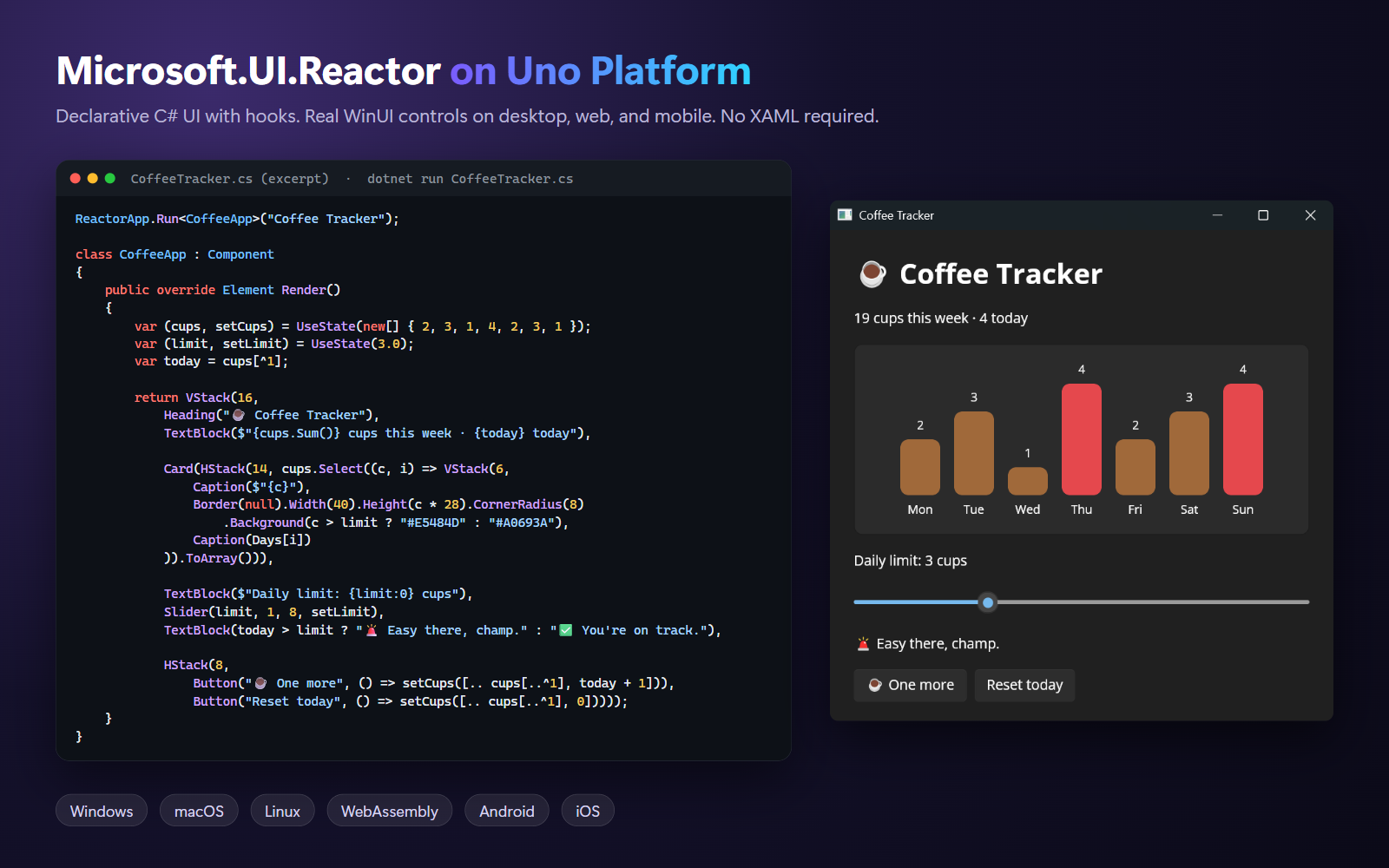
With 7.0, Reactor apps run on Uno Platform too: on the desktop, in the browser, and on Android and iOS. Add Reactor to your UnoFeatures:
<UnoFeatures>Reactor</UnoFeatures>Your existing XAML pages, styles, and view models stay as they are, and Reactor components render real WinUI controls in the same visual tree. Reactor support is in preview; the Reactor guide covers single-file apps and the unoapp-reactor template.
Because Uno Platform keeps a 1:1 API surface with WinUI, an automated sync brings the latest changes from the Microsoft.UI.Reactor repository over with little effort.
Apple TV, a new target platform
Same XAML, same controls, same Fluent styles
Apple TV is a new target platform in 7.0. Add net10.0-tvos to your app’s TargetFrameworks, and the same app runs on Apple TV with tvOS 15 and later: same XAML, same controls, same Fluent styles. It renders through Metal, as on iOS, and the Siri Remote drives focus navigation.
Together with Android TV, added in 6.7, your apps now reach both TV platforms.
.NET 11 support on day zero
Every head, in step with Microsoft
Uno Platform 7.0 ships full support for .NET 11 on day zero, across every head: Desktop, WebAssembly, Android, iOS, Apple TV, and Windows App SDK. Create an app with dotnet new unoapp -tfm net11.0, and uno-check installs everything you need. .NET 10 remains fully supported as the long-term support release.
Shipping this close to Microsoft’s own timeline reflects a partnership that goes both ways: Uno Platform is now a co-maintainer of SkiaSharp alongside the .NET team at Microsoft, and contributes to other parts of .NET, including the Android bindings.
See it live at .NET Conf 2026. Join us at .NET Conf 2026, the free virtual event for the launch of .NET 11, on November 12 at 4:30 p.m. EST, and see Uno Platform 7.0 running on .NET 11.
RichTextBlock and RichEditBox, on every platform
One of our earliest requests, now closed
RichTextBlock and RichEditBox are now available on every platform we support. The request dates back to one of Uno Platform’s earliest issues, #81 from 2018. Both controls bring WinUI-compatible rich text display and editing to every target, backed by extensive compatibility testing.
Closer WinUI alignment
More controls ported straight from WinUI’s sources
Your WinUI knowledge should carry over to Uno Platform unchanged. That has been our promise from the start. Uno Platform 7.0 ports more controls directly from WinUI’s open-source code, preserving their Windows layout, selection, and automation behavior. The WinUI team has been moving fast, advancing WinUI in the open with the community, and we are glad to bring that work to the cross-platform world. What’s new:
Lists that behave like WinUI’s
ItemsRepeater, its layouts, and ItemsView are now ported from the current WinUI sources, so layout, recycling, selection, and automation match Windows, and future WinUI fixes are one re-sync away.
Photo-gallery layouts
LinedFlowLayout arranges items in justified rows of equal height, sized by their aspect ratio, with the same API as WinUI, so your WinUI XAML carries over.
A custom title bar
Add your own content with WinUI’s TitleBar, with native window behavior on Windows and macOS.
Multiple windows on iPad
Each WinUI Window your app opens is now a real iPadOS window.
Lottie, powered by Composition
C# code generated by LottieGen now renders unmodified on every platform through WinUI’s Composition engine, with no extra packages.
Best of the rest
A few more items from a long list
This release is large, and if you have read this far, thank you. A few more items, or read the full release notes.
Built-in input validation
Display view model validation errors in bound controls automatically, with support for INotifyDataErrorInfo, {Binding}, and {x:Bind}. See input validation.
Screen readers on mobile and Linux
Android TalkBack, iOS VoiceOver, and Linux AT-SPI now work with Uno Platform’s automation tree, for accessibility and UI testing.
High contrast
Desktop apps on Windows, macOS, and Linux now adapt to the system’s high contrast settings automatically.
App automation from the command line
Use uno-devserver app to launch, inspect, interact with, and test running apps from scripts, CI pipelines, and AI agents.
Leaner packages, faster restores
Fewer dependencies, smaller apps, and about 54% less disk space for a fresh desktop Release restore.
Skeleton loading, generated from your UI
Wrap your existing XAML in a SkeletonView and the placeholders are generated from its live layout, so skeleton states stop being a separate thing to build and maintain as your UI evolves.
Leaner WebAssembly apps
A blank app now restores about 63 packages instead of 120, image decoding uses far less browser memory at runtime, and the initial load has more built-in resiliency.
Upgrading and breaking changes
Most apps upgrade by bumping the SDK version
Most apps on Uno.Sdk upgrade by bumping the SDK version, and the migrating to Uno Platform 7.0 guide walks through everything, with before and after code. The changes to plan for:
Native rendering is retired
Every target now renders through the unified pipeline, on SkiaSharp 4 or WebGPU. Native views such as maps and video players can still be embedded in your UI.
One project format
Uno.Sdk single-project apps are the only supported format, and the new UNOB0029 and UNOB0022 diagnostics guide older projects over.
Mac Catalyst is removed
macOS apps use the Desktop head (net10.0-desktop).
New defaults
Apps target net10.0 by default, with net11.0 one change away, and the Windows head uses Windows App SDK 2.4. Minimum OS versions are iOS and tvOS 15.0, Android API 24, and Windows 10 19041.
Libraries built for 6.x
Libraries built against 6.x are binary-incompatible with 7.0, so rebuild every library against 7.0. DependencyObject is now a single class, with no separate DependencyObjectStore, which is what libraries that define their own DependencyObject types will notice first.
Get started with Uno Platform 7.0
Or better, start with Uno Platform Studio
Ready to upgrade? Update the Uno.Sdk version in your global.json:
{
  "msbuild-sdks": {
    "Uno.Sdk": "7.0.x"
  }
}
Then follow the migration guide.
New to Uno Platform? Start with Uno Platform Studio.
Start in your browser or on your desktop, build alongside your preferred AI agents, see changes instantly, and validate your application on a real iOS or Android device. It is the fastest way to see what modern, cross-platform .NET development looks like.
Finally, a huge thank you to everyone who contributed code, issues, and reviews to our largest release yet, from first-time contributors to community members whose long-standing contributions have now landed.
Uno Platform 7.0 gives you more ways to build. Uno Platform Studio brings it all together. We can’t wait to see what you build next.