Infragistics Ultimate UI for Uno Platform is now in beta – professional charts, a high-performance DataGrid, maps, gauges and dashboards in shared C# and XAML. Pair it with Uno Platform 7.0 and Studio 3.3, and you and your AI agents can build data-rich .NET apps that run everywhere.
Nobody opens a business app to admire the navigation drawer. They open it to look at data – sort it, filter it, chart it, and act on it.
That is why we are excited to welcome Infragistics Ultimate UI for Uno Platform, now in beta. Professional charts, a high-performance DataGrid, maps, gauges and dashboards – all in shared C# and XAML, running wherever your Uno Platform app runs.
If you like to think in kitchens, here is the frame for this post: Uno Platform is a kitchen that works in any building, Infragistics stocks the pantry with professional-grade ingredients, and your AI agents are the cooks. Let’s unpack how it all fits together.
One .NET Codebase Running Everywhere
Start with the kitchen. Uno Platform takes one .NET codebase – C# and XAML – to Windows, macOS, Linux, the browser, iOS and Android. One team, one skill set, one source of truth for how your app behaves.
And the kitchen keeps adding rooms. Uno Platform 6.7 opened the door to Android TV, Android Auto and Wear OS from your existing Android project. Uno Platform 7.0 adds Apple TV as a new target – same XAML, same controls, same Fluent/Material styles. TVs, cars and watches are now on the map, right beside phones, tablets, desktops and the web.
Developers get to customize the UX: a watch face is not a phone screen, and a car dashboard is not a TV. You still design for the form factor. But the codebase, the tooling and the skills you already have come along for the ride.
Then there is how fast the kitchen runs. Every target in Uno Platform 7.0 renders through one unified pipeline – SkiaSharp 4 by default, with an opt-in (still experimental) WebGPU backend. Uno Platform is now a co-maintainer of SkiaSharp alongside the .NET team at Microsoft, so cross-platform rendering issues get fixed faster. The headline numbers: about 2x faster and 5x smaller than 6.7, with scrolling synchronized to the display’s refresh rate for smooth 120 FPS on screens that support it.
Why does that matter for a UI component library? Because one rendering pipeline means a chart or a grid can look and behave the same on every screen it lands on – instead of each operating system drawing its own version of your data.
Welcome Infragistics UI
A kitchen is only as good as its pantry. Infragistics brings broad UI suites across web, desktop and mobile – Windows Forms, WPF, Blazor, React, Angular, Web Components and more – and now that depth arrives on Uno Platform with Infragistics Ultimate UI for Uno Platform.
Enterprise apps are often judged on the heavy data parts. Can users sort, filter, group and summarize without filing a ticket? Can the chart show what the finance team actually needs? A professional UI layer is the difference between a demo and a tool people run their business on.
The Infragistics UI suite beta puts two things front and center:
- 📈 DataViz. 60+ chart and visualization types and 30+ built-in financial indicators, on a charting engine Infragistics has refined for more than 15 years. Think category and stacked series, candlesticks with Bollinger Bands, Sankey flows, treemaps, geographic maps, gauges and sparklines.
- 🧮 DataGrid. Virtualized, with sorting, filtering, grouping, summaries, selection and editing – plus conditional formatting, column options, cell merging and templated cells for richer content.
How do you make all of that your own? That is where Uno Platform’s Hot Design comes in. Edit your UI visually at runtime, on the running app, and iterate on the grid or the chart until it feels right – no rebuild, no guessing.
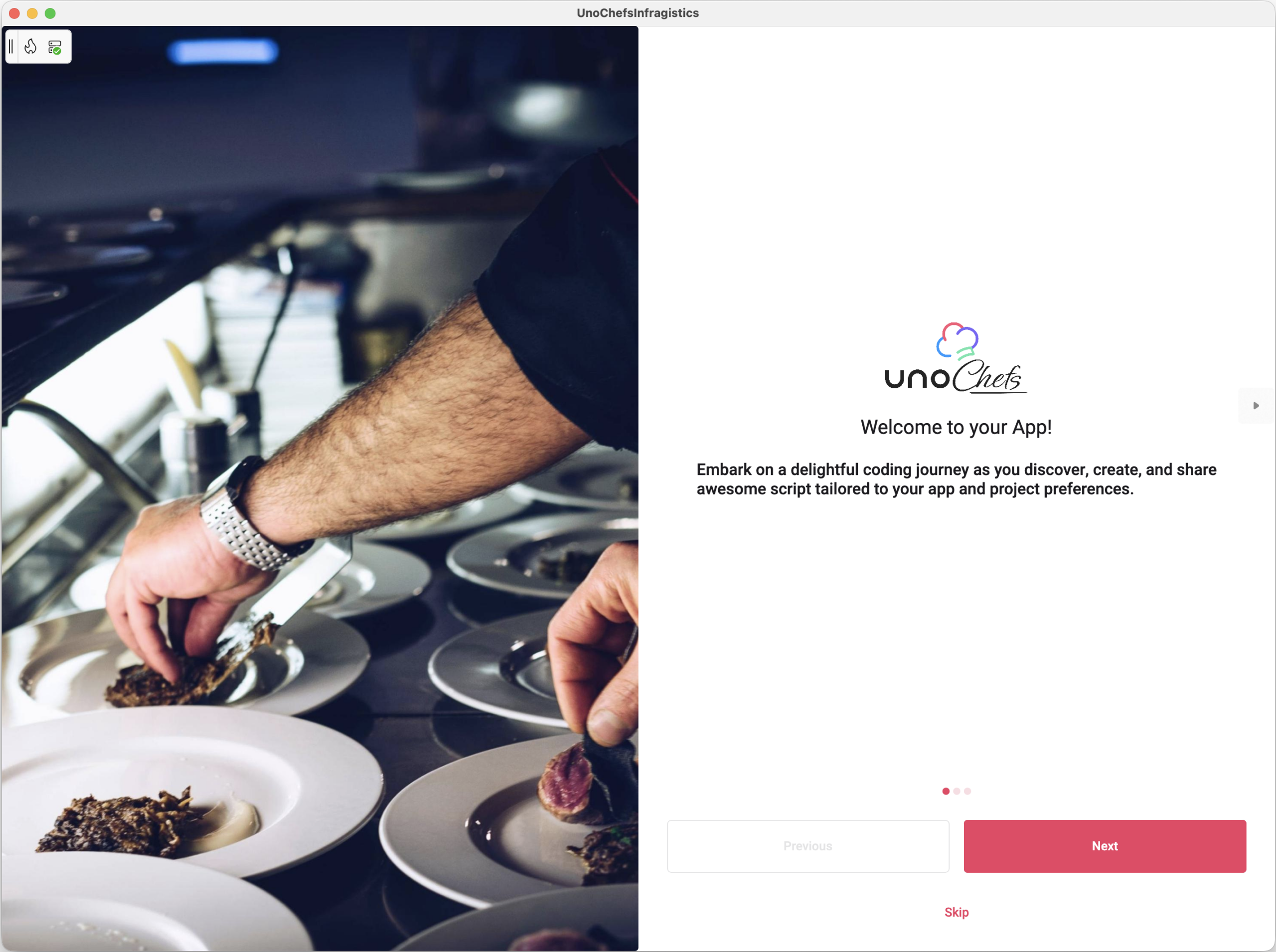
To see it for real, we took Uno Platform’s Chefs sample app – our full reference app with real-world UI patterns – and rewrote it with Infragistics UI. Here is what came out of the kitchen - check out the source code in this GitHub repo:
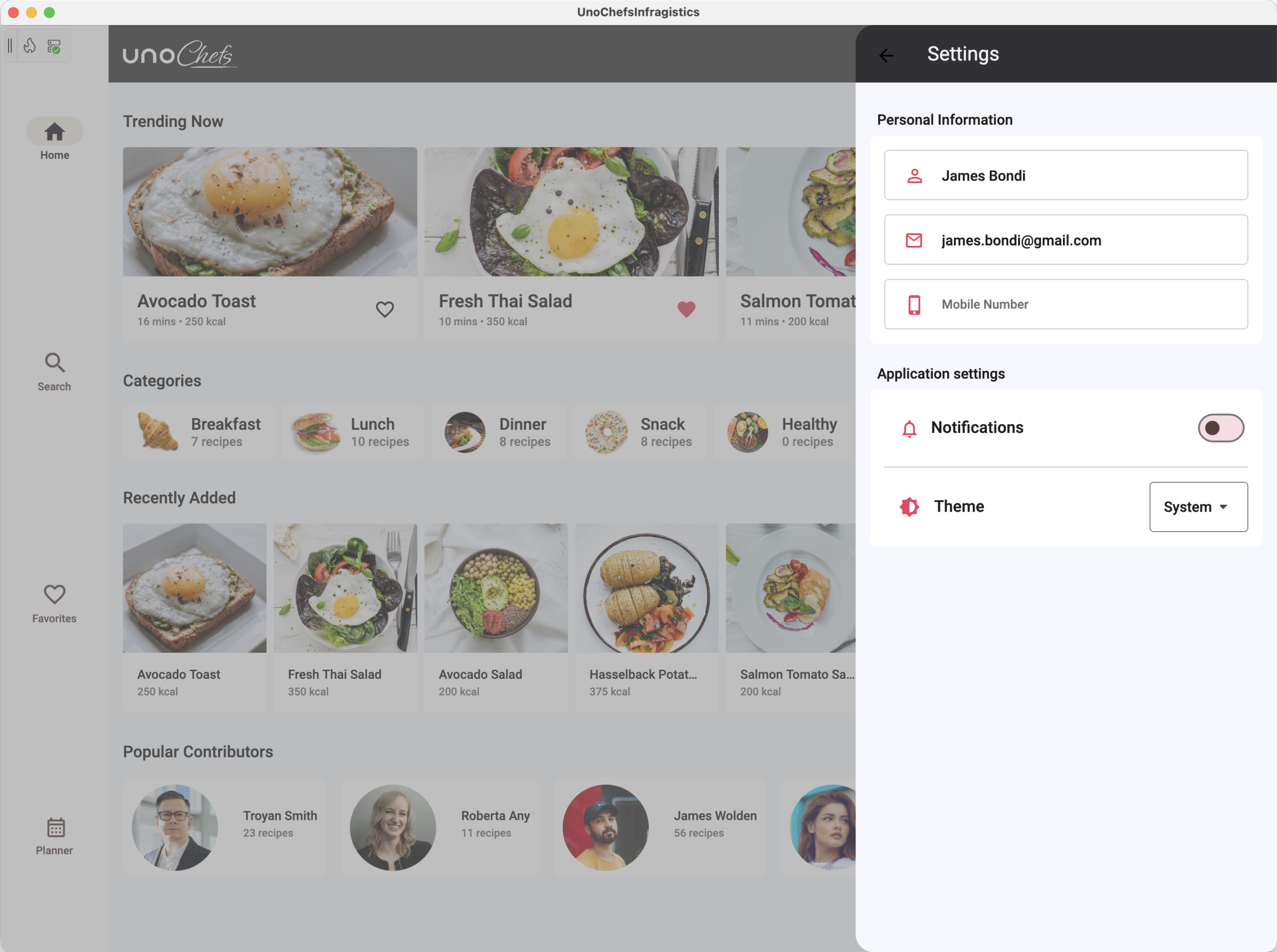
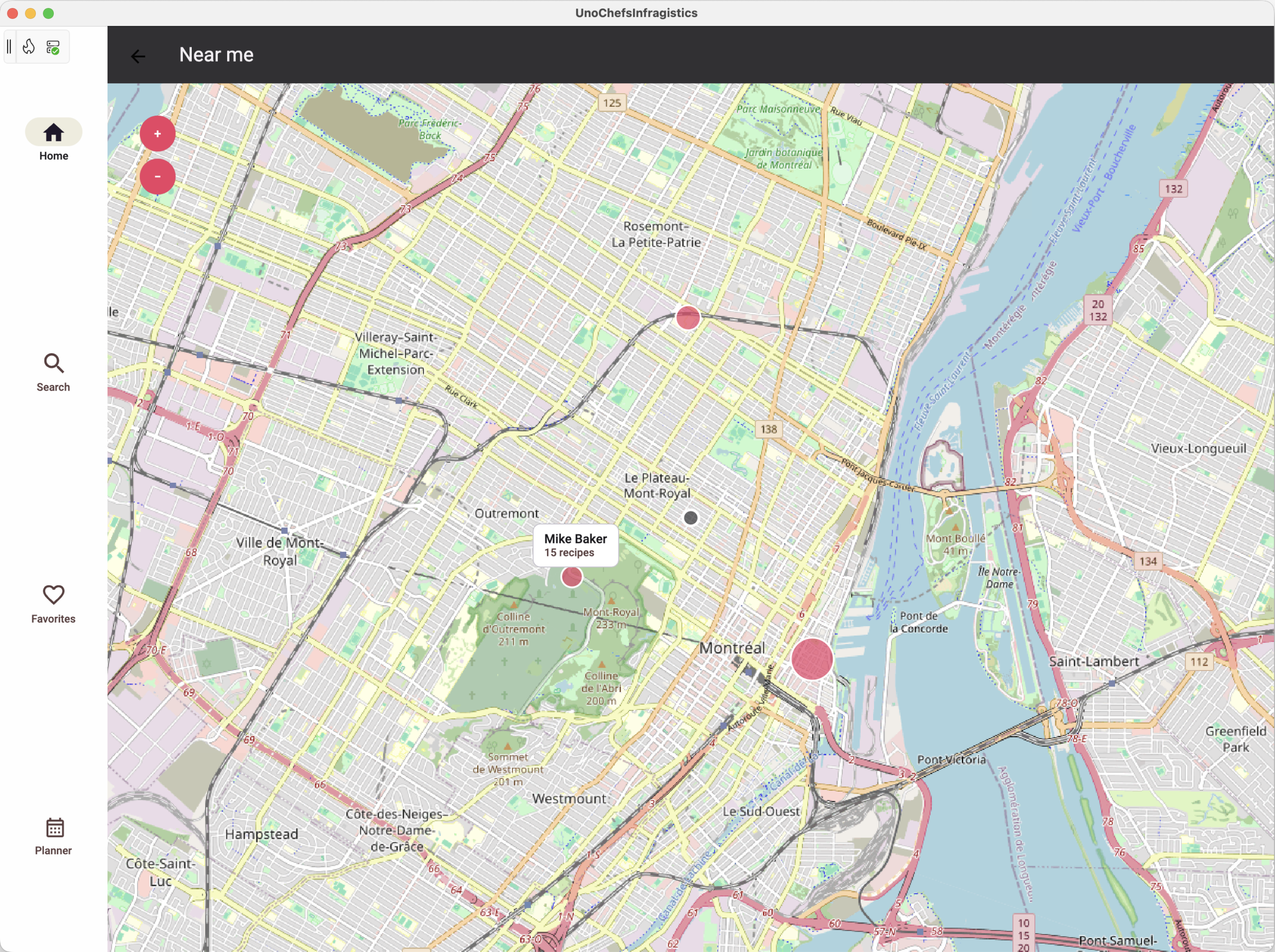
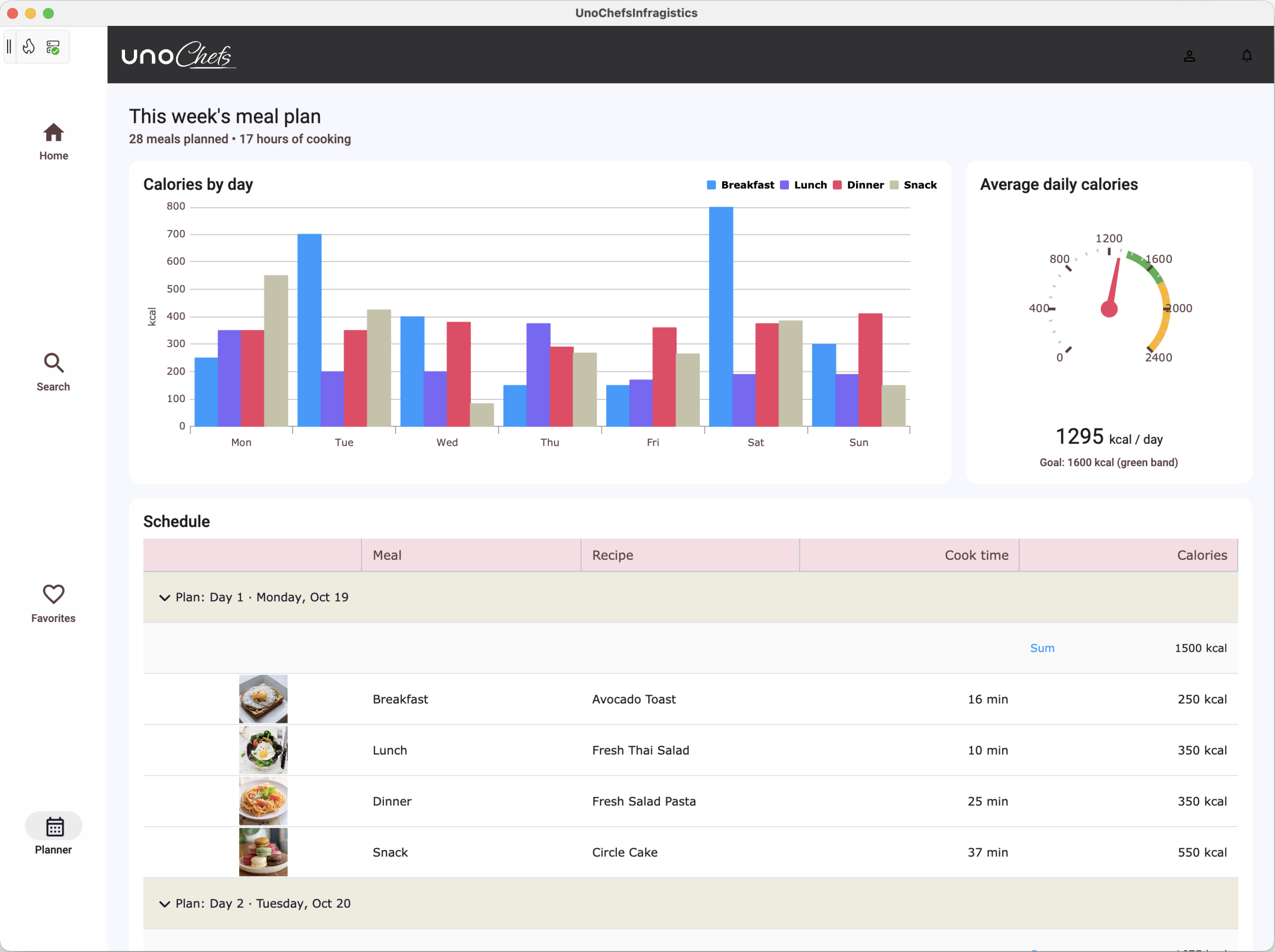
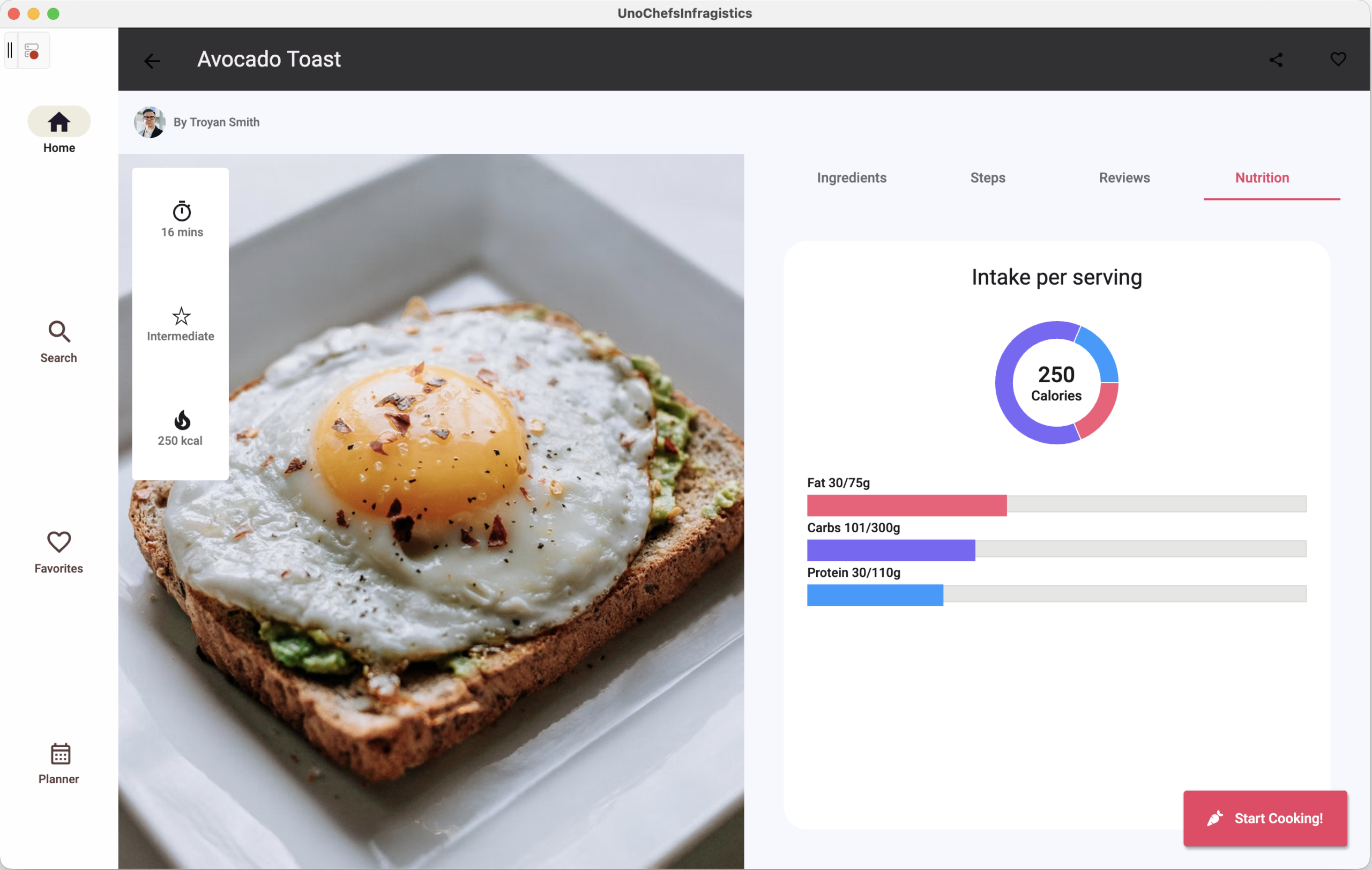
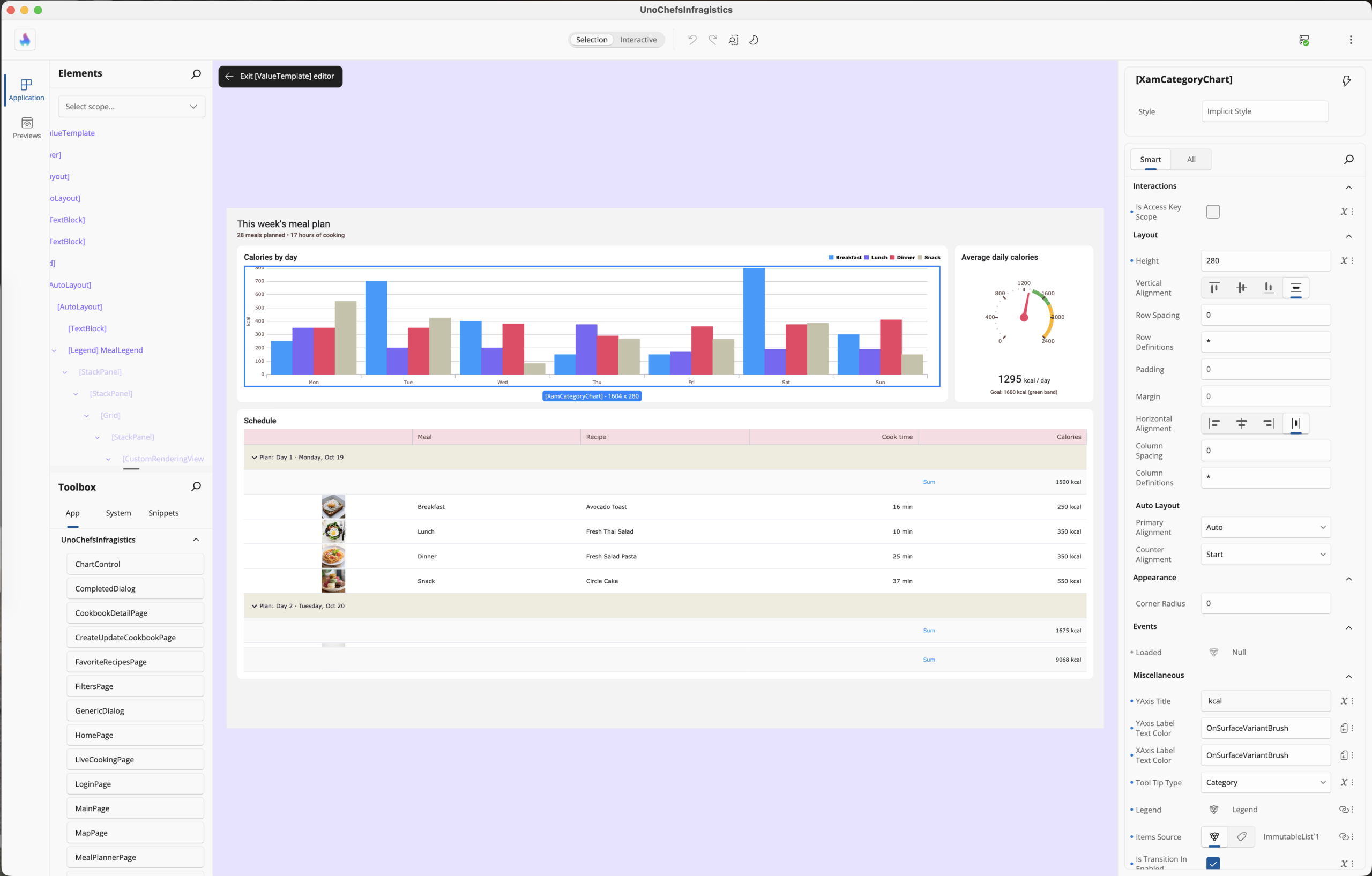
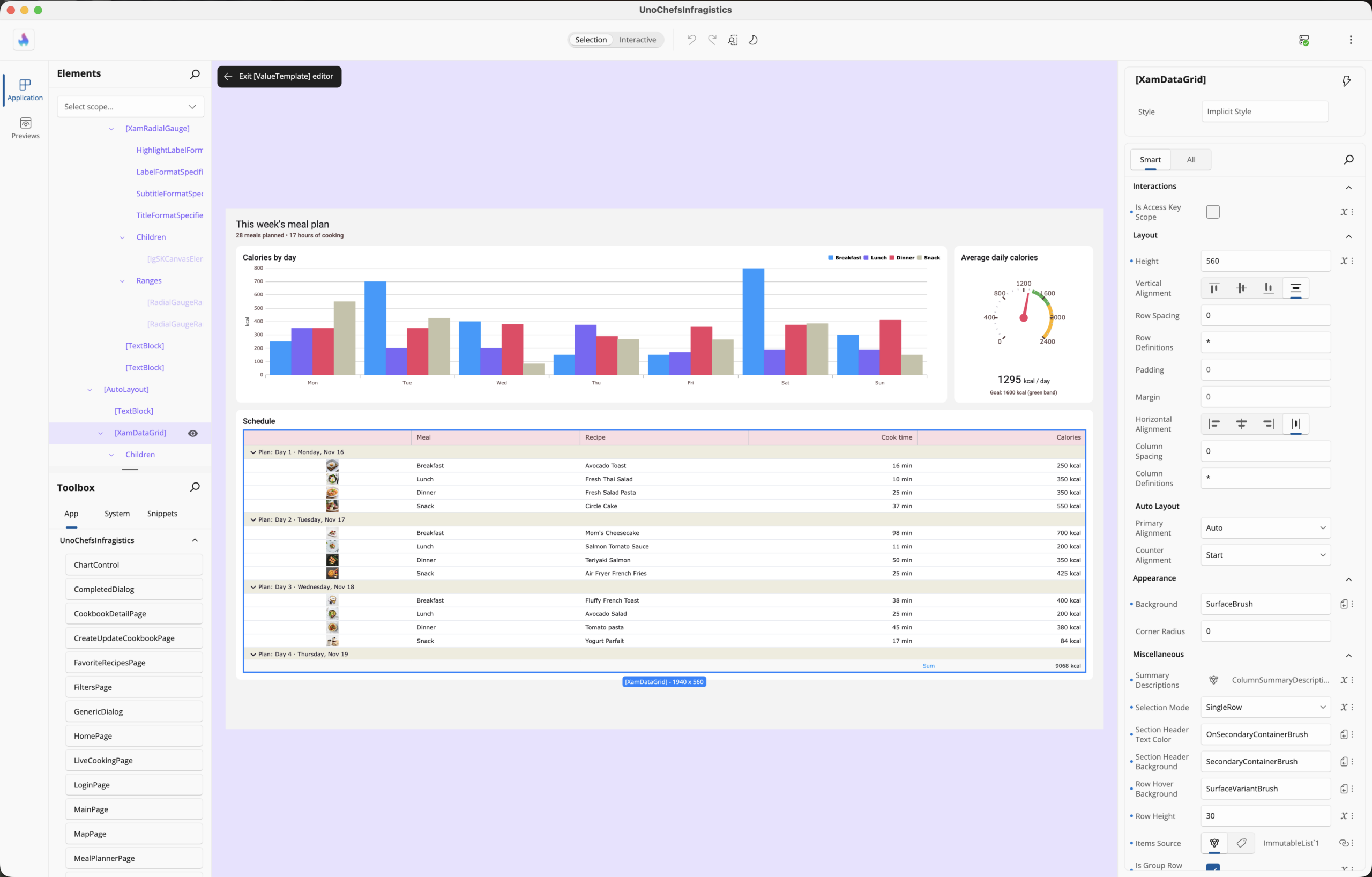
A quick note on where things stand: Infragistics Ultimate UI for Uno Platform is in beta, and general availability and pricing details will follow. The Infragistics launch post walks through the full component collection.
Agentic Workbench
Every kitchen needs a good workbench – and this is where the cooks come in.
Uno Platform Studio 3.3 is built for developers and AI agents who create, validate and ship .NET apps together. Studio now runs on your desktop – Windows, macOS and Linux – right beside your IDE, terminal, source control and the agents you already trust, and it is still a click away in the browser with Studio Web. A few highlights:
- 🖥️ Studio Desktop. Its own window, one Alt+Tab from your IDE and your agent. It runs uno-check on every start and fixes what is missing, so you and your agent begin from a working setup.
- ⏪ Checkpoints. Undo for your agent. Roll the project back to any earlier instruction, with the code and the conversation restored together.
- 👀 Preview Variants. See each page as phone and desktop, light and dark, at a glance.
- 🎨 Theme Editor. Reshape colors, typography, shapes and spacing live on the running app (Pro and Business plans).
Now combine the ingredients. Uno Platform’s reach takes your app everywhere. Infragistics UI hands your agent a pantry of mature components with defined APIs and configurable behavior – so it spends its effort on your data and your workflows instead of reinventing a grid. And the agent works from Skills and MCP Servers: Skills are the recipe cards, and MCP tools give it eyes and hands on your live app. With 7.0, the new uno-devserver app command lets scripts, CI pipelines and agents launch, inspect, interact with and test running apps.
And developers should not trust AI blindly. That is exactly why the workbench matters – previews to see what changed, checkpoints to step back, and a real device to validate on.
Because that device is part of the loop now. Studio Mobile, available for testing on iOS and Android, lets you sign in, open your project on a phone or tablet, and watch every change from the desktop Hot Reload over the air. Touch targets, safe areas, scrolling, the on-screen keyboard – everything a simulator only approximates – on real hardware, seconds after you or your agent made the change.
Start in the browser, keep going on the desktop, check it in your hand. One continuous experience.
Wrap Up
The kitchen runs everywhere. The pantry is fully stocked. The cooks are ready.
Uno Platform takes .NET to every screen your users own. Infragistics provides the UI your app needs – charts, grids, maps, gauges and dashboards. Studio brings you and your agents together to build it, see it and validate it on a real device.
So go build rich UX. We can’t wait to see what you cook up.
Cheers developers!