This part covers the scenarios where MCP earns its keep: the bugs that would otherwise take you an hour of staring at XAML, and the ones where it’s wasting your time.
Knowing the difference is what separates productivity from ritual.
Parts 1 and 2 gave you the setup and the loop. You can scaffold features, verify them at runtime, and iterate with evidence. That's the foundation.
Debug a Silent Binding Failure with App MCP Evidence
This is the most frustrating class of bug in XAML development. Silent binding failures. The markup compiles, the page renders, the button appears enabled—but the Command resolves to null at runtime because of a typo or a missing DataContext.
- — Save button on EditProfilePage executes SaveProfile() when tapped
- — Button should disable while save is in progress (MVUX auto-disables)
Prompt:
"Using App MCP, inspect the Save button on EditProfilePage:
- 1. Get a visual tree snapshot focused on the Button element
- 2. Call
uno_app_get_element_datacontexton the Save button - 3. Report: Command binding value, DataContext type and instance, IsEnabled state"
EditProfileViewModel instance—but the Command property is null.That's the clue. The DataContext is fine. The model is injected. But the generated command isn't binding.
Prompt:
"The Command property on the Save button is null, but the DataContext is a valid EditProfileViewModel. Using Uno MCP, search for how MVUX generates commands from model methods. Then check: does my model have a public method that would generate a command matching the binding path in the XAML?"
// Your model
public partial record EditProfileModel
{
    public async ValueTask SaveProfle(CancellationToken ct)  // 👈 Typo: "Profle"
    {
        // save logic
    }
}<!-- Your XAML -->
<Button Content="Save" Command="{Binding SaveProfile}" /> <!-- 👈 Expects "SaveProfile" -->MVUX generated a command called SaveProfle (matching the method name). The XAML binds to SaveProfile. No match. No error. Just null.
Rename the method to SaveProfile. Rebuild.
"Using App MCP, inspect the Save button again. Confirm the Command property is now non-null and the button executes when clicked. Use uno_app_pointer_click to tap the button and take a screenshot showing the result."
This bug took 2 minutes with App MCP. Without it, you'd be reading XAML, scanning for typos, maybe adding debug output, rebuilding, and repeating. The visual tree doesn't lie. When uno_app_get_element_datacontext shows the DataContext is valid but the Command is null, the problem is in the binding path—every time.
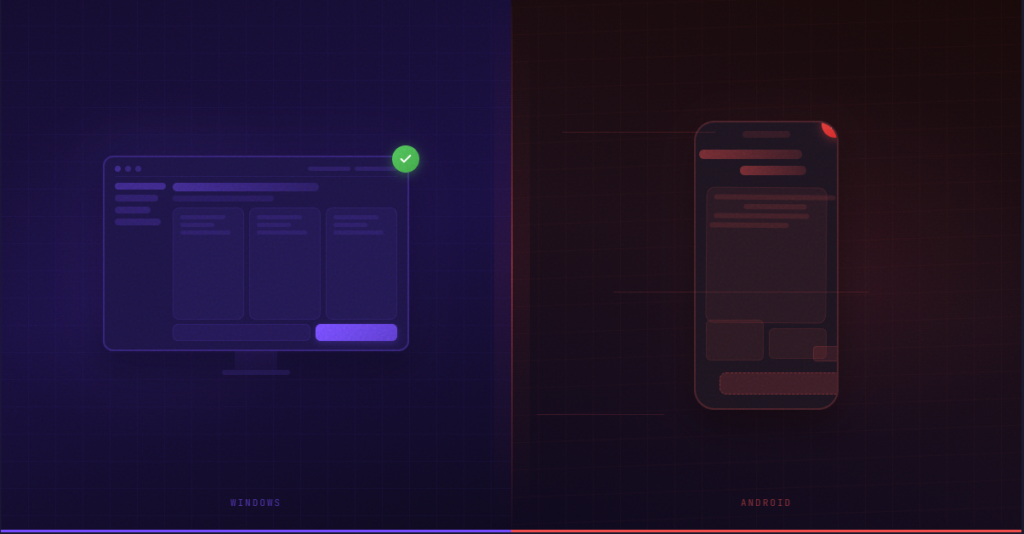
Cross-Platform Parity Verification
Run on Windows. Capture evidence:
"Using App MCP, get a screenshot and visual tree snapshot of [PAGE] on Windows. This is my baseline."
Save the output.
Prompt:
"Using App MCP, get a screenshot and visual tree snapshot of [PAGE] on Android. Compare against this Windows baseline:[PASTE WINDOWS SNAPSHOT]
List differences in: element count, layout bounds, visibility states, binding values, and any missing elements."
Same prompt, different target.
What you're looking for
| Check | What it catches |
|---|---|
| Element count differs | A control doesn't render on one platform |
| Layout bounds differ significantly | Spacing/margin issues, SafeArea gaps |
| Visibility states differ | Platform-conditional logic not working |
| Binding values differ | Platform-specific service returning different data |
| Missing elements | Conditional XAML or platform-specific controls |
For each difference, bring in Uno MCP to propose a platform-aware fix. Feed the App MCP comparison back as context:
"App MCP shows this StackPanel has Padding=24 on Windows but Padding=0 on Android. Using Uno MCP, search for how to apply consistent padding that respects platform conventions. Propose a fix."
Important: This is the step people skip. Don't. A fix for Android can break Windows. Always close the loop.
Add a Screen and Wire Navigation with Parameters
The Loop (Condensed)
"Using Uno MCP, search for the recommended navigation pattern for passing parameters between pages with Uno Navigation extensions. I need to navigate from a list selection to a detail page, passing an item ID. Propose the route registration, the navigation request, and the DetailModel that receives the parameter."
"Using App MCP:
- Get a visual tree snapshot of MainPage - confirm the list renders with items
- Click the first item using
uno_app_pointer_click - Take a screenshot - confirm navigation occurred
- Get a visual tree snapshot of DetailPage - confirm the item data is displayed
- Call
uno_app_get_element_datacontexton the detail content area - confirm the model received the item ID"
Common Pitfalls
- ✗ Navigation route registered but parameter type doesn't match
- ✗ DetailModel constructor expects the parameter but DI doesn't provide it
- ✗ Navigation occurs but DataContext is empty (parameter lost in transit)
Guardrails and Best Practices
Keep diffs small, commit often
One feature per dev loop cycle. If the agent proposes eight file changes, ask yourself: can this be two separate loops? Smaller diffs are easier to verify and easier to revert.
Never trust generated UI without App MCP verification
This is the single most important habit. Code that compiles is not code that works. XAML that renders on Windows might not render on Android. A binding that resolves on one page might be null on another because of a DataContext scope issue. uno_app_visualtree_snapshot is your source of truth.
Always align with existing repo patterns
If the agent proposes a new pattern that doesn't match your codebase, push back. "My project uses MVUX partial records—don't generate a ViewModel with INotifyPropertyChanged." Uno MCP should be reading your conventions from the docs, but your project might have additional conventions the remote MCP doesn't know about. You're the authority on your own codebase.
Stop conditions—when to stop using MCP
- ■ The agent is proposing the same fix repeatedly and it's not working. This means the problem is outside the agent's context. Debug manually.
- ■ You're spending more time writing prompts than writing code. If you already know the fix, just fix it. MCP is a productivity tool, not a ceremony.
- ■ The issue requires deep platform-specific knowledge you already have. If you know the Android lifecycle issue by heart, don't ask the agent to search for it.
- ■ You're debugging a third-party library, not your own code. App MCP can see your visual tree, but it can't see into native platform internals or third-party library state.
When MCP is valuable vs. unnecessary
✓ VALUABLE
- — Scaffolding new pages/models/routes
- — Cross-platform verification
- — Binding debugging
- — Unfamiliar Uno Platform APIs
✗ UNNECESSARY
- — Simple typo fixes
- — Style tweaks you can eyeball
- — Code you've written dozens of times
- — Pure logic bugs with no UI component
Daily Habits for Adoption
uno_app_visualtree_snapshot on your current working page. Get a baseline. Know what "before" looks like.The goal was never to make AI write your app. It's to make verification automatic and scaffolding consistent.
Uno MCP gives the agent knowledge of Uno Platform conventions and current docs. App MCP gives it knowledge of your running application's actual state. Together, they turn "generate and hope" into "generate and verify."
- Connect both MCPs if you haven't (Part 1)
- Run the full dev loop on one real feature—the Settings page scenario from Part 2 is a good first candidate
- Set a stop condition before you start—decide in advance when you'll stop prompting and just write the code
That's it. No more "AI-generated XAML that compiles but doesn't render." You have the tools to check.
Ready to Build Smarter?
You have the setup, the workflow, and the guardrails. Start with the Settings page scenario and build from there.