
If you’ve spent any time building XAML-based .NET applications, you know the pain of slow iteration cycles. Edit some markup, rebuild, wait, check the result, repeat. It’s a workflow that hasn’t changed much in years – until now.
The challenge becomes even more apparent when working with modern frameworks. According to Microsoft Learn documentation, “WinUI 3 / .NET MAUI XAML designer is not supported in Visual Studio.” That means developers working with Microsoft’s latest UI frameworks are left without a traditional visual designer.
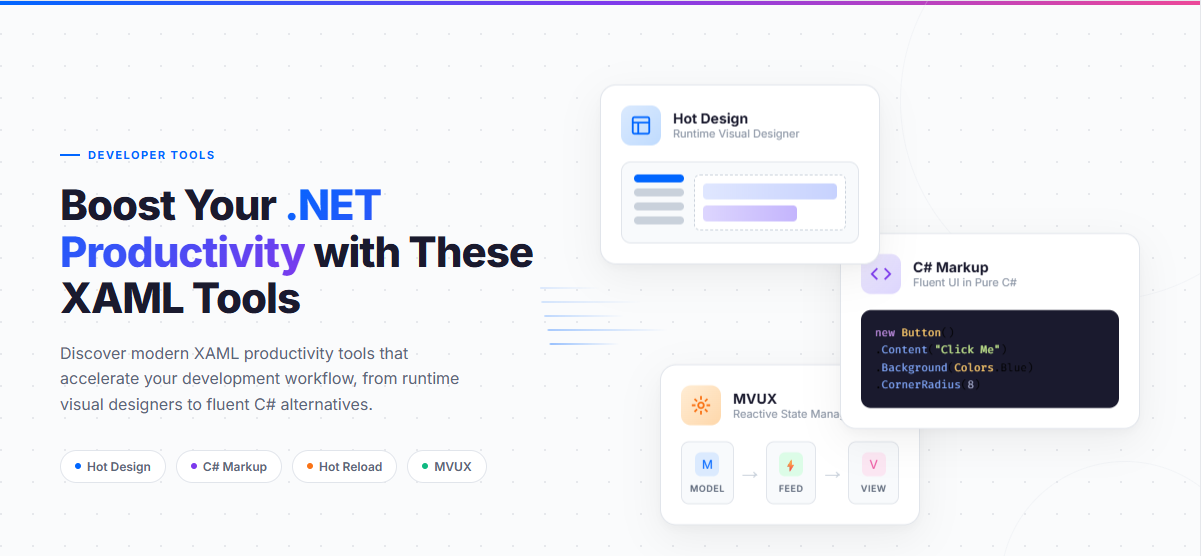
But this gap has sparked innovation. A new generation of XAML productivity tools has emerged, offering everything from runtime visual designers to complete alternatives to XAML markup. In this article, we’ll explore seven tools that can dramatically boost your .NET development productivity.
Key Takeaways:
- Attached properties enable adding behavior to any XAML element without modifying the element’s class
- Uno Toolkit provides CommandExtensions to add Command support to controls like TextBox, ItemsRepeater, and ToggleSwitch
- InputExtensions simplifies form handling with automatic focus navigation and keyboard dismissal
- ItemsRepeaterExtensions adds selection support to ItemsRepeater, which lacks it natively
- Using attached properties keeps your MVVM architecture clean by eliminating code-behind event handlers
Who this is for: .NET developers building cross-platform XAML applications who want to maintain clean MVVM separation while adding behaviors to standard controls.
Hot Design: The Industry's First Runtime Visual Designer
When Microsoft’s documentation tells you there’s no visual designer for WinUI 3 or .NET MAUI, it might seem like you’re stuck with manual XAML editing. Uno Platform saw this gap as an opportunity.
According to the Hot Design documentation:
"Hot Design transforms your live, running app into a real-time visual designer that works with any IDE on any OS. It allows you to make UI changes on the fly without restarting your app or losing state, while seamlessly synchronizing your XAML code and visual designs."
This is a fundamentally different approach to visual design. Rather than working with a simulated preview, you’re designing directly on your running application. Changes you make in the visual designer immediately update your XAML source code, and vice versa.
What Makes Hot Design Unique
Hot Design stands out for several reasons:
- Runtime, not design-time: Work with your actual running app, with real data and states
- IDE agnostic: Works with Visual Studio, VS Code, and JetBrains Rider
- Cross-platform: Design on Windows, macOS, or Linux
- Full synchronization: Visual changes sync to XAML code automatically
Uno Platform describes it as “industry’s first and only runtime Visual Designer for cross-platform .NET Applications” (Why Uno Platform).
Hot Design Agent: AI-Powered UI Creation
New in Uno Platform Studio 2.0, the Hot Design Agent brings AI capabilities directly into the visual design experience:
"Hot Design Agent is an AI-powered assistant designed for rapid UX/UI creation and enhancement within your application. It leverages data contexts and live previews to help developers design, refine, and interact with user interfaces in real time."
You can describe what you want in natural language, and the agent generates the UI elements – all within the context of your running application.
Hot Reload: Instant XAML and C# Updates
Before Hot Design, there was Hot Reload – and it remains a foundational productivity tool for XAML developers. The concept is simple: make changes to your code and see them reflected immediately without restarting your application.
Uno Platform Hot Reload documentation explains:
"Uno Platform Hot Reload feature provides a way to modify the XAML and C# of your running application, in order to iterate faster on UI or code changes. This makes the inner developer loop faster."
Comprehensive Platform Support
Uno Platform’s Hot Reload implementation goes beyond what’s available natively:
| Platform | XAML Hot Reload | C# Hot Reload |
|---|---|---|
| iOS | Supported | Supported |
| Android | Supported | Supported |
| WebAssembly | Supported | Supported |
| Desktop (Skia) | Supported | Supported |
IDE Flexibility
Whether you prefer Visual Studio on Windows, VS Code on macOS, or Rider on Linux, Hot Reload works across all major IDEs:
- Visual Studio (Windows): Full support with and without debugger
- VS Code: Full support on Windows, macOS, Linux, and CodeSpaces
- JetBrains Rider: Full support on all platforms
The Hot Reload Indicator provides visual feedback when changes are detected and applied, so you always know your updates went through.
C# Markup: A Fluent Alternative to XAML
What if you could define your UI in C# instead of XAML? That’s exactly what C# Markup offers – a declarative, fluent API that gives you full IntelliSense, compile-time validation, and native refactoring support.
The Uno Platform C# Markup documentation describes it this way:
"C# Markup is a declarative, fluent-style syntax for defining the layout of an application in C#. With C# Markup you can define both the layout and the logic of your application using the same language. C# Markup leverages the same underlying object model as XAML, meaning that it has all the same capabilities such as data binding, converters, and access to resources."
See it in Action
Here’s what a simple page looks like in C# Markup:
public sealed partial class MainPage : Page
{
    public MainPage()
    {
        this.DataContext(new MainViewModel(), (page, vm) => page
            .Background(ThemeResource.Get<Brush>("ApplicationPageBackgroundThemeBrush"))
            .Content(new StackPanel()
                .VerticalAlignment(VerticalAlignment.Center)
                .Children(
                    new TextBlock()
                        .Margin(12)
                        .TextAlignment(TextAlignment.Center)
                        .Text(() => vm.Count, txt => $"Counter: {txt}"),
                    new Button()
                        .Margin(12)
                        .HorizontalAlignment(HorizontalAlignment.Center)
                        .Command(() => vm.IncrementCommand)
                        .Content("Increment")
                )
            )
        );
    }
}
Why Developers Love C# Markup
The documentation highlights these benefits:
- Declarative syntax – Clean, readable code structure
- Strongly typed data binding – No more magic strings
- IntelliSense and compile-time validation – Catch errors before runtime
- Refactoring support – Rename properties safely across your entire codebase
- Custom Controls and 3rd party libraries – Full compatibility with the .NET ecosystem
If you’ve ever been frustrated by XAML’s string-based binding syntax or lack of IDE support, C# Markup is worth exploring. For a hands-on walkthrough, check out the Counter tutorial with C# Markup.
Uno Platform Studio: The Complete Productivity Suite
All of these tools – Hot Design, Hot Reload, and the Figma Plugin – come together in Uno Platform Studio.
According to the Uno Platform Studio overview:
"Uno Platform Studio is a set of productivity tools designed to enhance developer productivity, be it for design handoff, to radically improving developer inner dev loop with Hot Reload and the industry-first, cross-platform runtime visual designer for .NET, Hot Design. Uno Platform Studio empowers developers to stay in their flow, enabling seamless cross-platform app development for every platform .NET runs on."
What's Included
| Tool | Purpose |
|---|---|
| Hot Design | Runtime visual designer |
| Hot Design Agent | AI-powered UI creation |
| Hot Reload | Instant code updates |
| Design-to-Code | Figma to XAML/C# Markup |
| Uno MCP | AI agent integration |
Why Choose a Productivity Suite?
Rather than cobbling together separate tools, Uno Platform Studio provides an integrated experience. The tools work together seamlessly – for example, changes made in Hot Design are immediately reflected through Hot Reload without any additional steps.
Visual Studio XAML Designer: The Classic Approach
While modern tools address gaps in WinUI 3 and .NET MAUI support, the traditional Visual Studio XAML Designer still has its place – particularly for WPF and UWP development.
According to Microsoft Learn:
"The XAML Designer in Visual Studio and Blend for Visual Studio provides a visual interface to help you design XAML-based apps, such as WPF and UWP."
Best Use Cases
- WPF desktop applications: Full designer support with drag-and-drop
- UWP apps: Complete visual editing capabilities
- Complex animations: Blend for Visual Studio excels here
Limitations to Know
The Visual Studio XAML Designer does not support WinUI 3 or .NET MAUI. If you’re working with these frameworks, you’ll need to rely on Hot Reload or consider Hot Design for visual editing.
XAML Styler: Clean, Consistent Code
Code formatting might not be as exciting as visual designers, but consistent, well-formatted XAML makes a real difference in team projects.
XAML Styler is a Visual Studio extension that:
"Formats XAML source code based on a set of styling rules. This tool can help you/your team maintain a better XAML coding style as well as a much better XAML readability."
Key Features
- Automatic formatting on save or on demand
- Customizable rules for attribute ordering, line breaks, and more
- Team consistency through shared configuration files
- Available as NuGet package for CI/CD integration
For teams doing code reviews, XAML Styler eliminates debates about formatting and lets you focus on what matters – the actual logic and design decisions.
Choosing the Right Tools for Your Workflow
With so many options available, how do you choose? Here’s a quick comparison:
| Tool | Best For | Platform Support | IDE Support |
|---|---|---|---|
| Hot Design | Visual UI design on running apps | All platforms | VS, VS Code, Rider |
| Hot Reload | Fast iteration during development | All platforms | VS, VS Code, Rider |
| C# Markup | XAML alternative with IntelliSense | All platforms | Any .NET IDE |
| Figma Plugin | Design-to-code workflow | All platforms | N/A (Figma) |
| VS XAML Designer | Traditional WPF/UWP design | Windows | Visual Studio |
| XAML Styler | Code formatting | N/A | Visual Studio |
Conclusion
The XAML development experience has evolved significantly. The gap in WinUI 3 and .NET MAUI visual designer support, once a limitation, has driven innovation that benefits all .NET developers.
Tools like Hot Design bring runtime visual design to cross-platform development for the first time. C# Markup offers a strongly-typed alternative to XAML. The Figma Plugin eliminates design handoff friction. And Hot Reload makes iteration faster than ever.
Whether you’re building cross-platform applications with Uno Platform or maintaining WPF desktop apps, there’s a set of tools that can boost your productivity. The key is choosing the right combination for your specific workflow.
Ready to try the industry’s first runtime visual designer? Get started with Hot Design and see how it transforms your XAML development workflow.
 Subscribe to Our Blog
 Subscribe via RSS
 Back to Top