AI Agents have flipped the economics of WPF migration — what once cost a team weeks of manual effort now runs in hours, with Uno Platform as the cross-platform target that carries your UI and business logic everywhere.
There are millions of lines of WPF code running in production right now — powering enterprise dashboards, internal tools, and line-of-business apps that have been quietly doing their job for a decade or more. They work. But the world around them has changed. Users expect apps on every device. Teams expect to ship once and run everywhere. And the cost of staying Windows-only keeps going up.
Modernization isn't a nice-to-have anymore. It's the next logical step.
It's Time to Move Beyond Windows
WPF is a great framework — rich UI, deep .NET integration, a mature ecosystem. But it is, fundamentally, Windows-only. In a world where macOS, Linux, iOS, Android, and the browser are all first-class citizens, that constraint is increasingly hard to defend.
The good news? You don't have to throw away what you've built. The UI logic, the ViewModels, the business rules — most of that is perfectly portable. What's needed is a modern cross-platform target that respects the investment already made in .NET and XAML.
That target is Uno Platform.
Uno Platform lets you take your existing C#/XAML skills and build an app that runs on Windows, macOS, Linux, iOS, Android, and WebAssembly — all from a single shared codebase. No rewrites. No parallel codebases. Maximum reuse. And with modern AI and Design tools, Uno Platform keeps .NET developers ultra productive.
AI Agents Changed the Math
Here's a hot take: the economics of migration have flipped. For years, the honest answer to "should we modernize our WPF app?" was "it depends — and it probably costs more than you think." The manual effort of mapping WPF XAML to cross-platform XAML, updating namespaces, replacing unsupported controls, and validating every screen was real, tedious work.
AI Agents changed that equation. They can handle the bulk of the mechanical migration work — namespace replacements, control mapping, binding syntax updates, VisualStateManager rewrites — at a speed and consistency no human team can match. Humans step in for the architectural decisions, the edge cases, the judgment calls. The rest? Let the agents run.
For a deeper look at how this shift plays out in practice, check out this compelling breakdown: The New Economics of WPF Migration: Why AI Agents Changed the Math →
The Source: Material Design In XAML Toolkit
The WPF project chosen for this migration is one of the most feature-rich and widely used WPF showcase apps out there: MaterialDesignInXamlToolkit →. It's a comprehensive demonstration app with dozens of pages covering the full Material Design control library — buttons, cards, dialogs, data grids, navigation drawers, color palettes, typography samples, and more. A genuine test of what AI-assisted migration can handle.
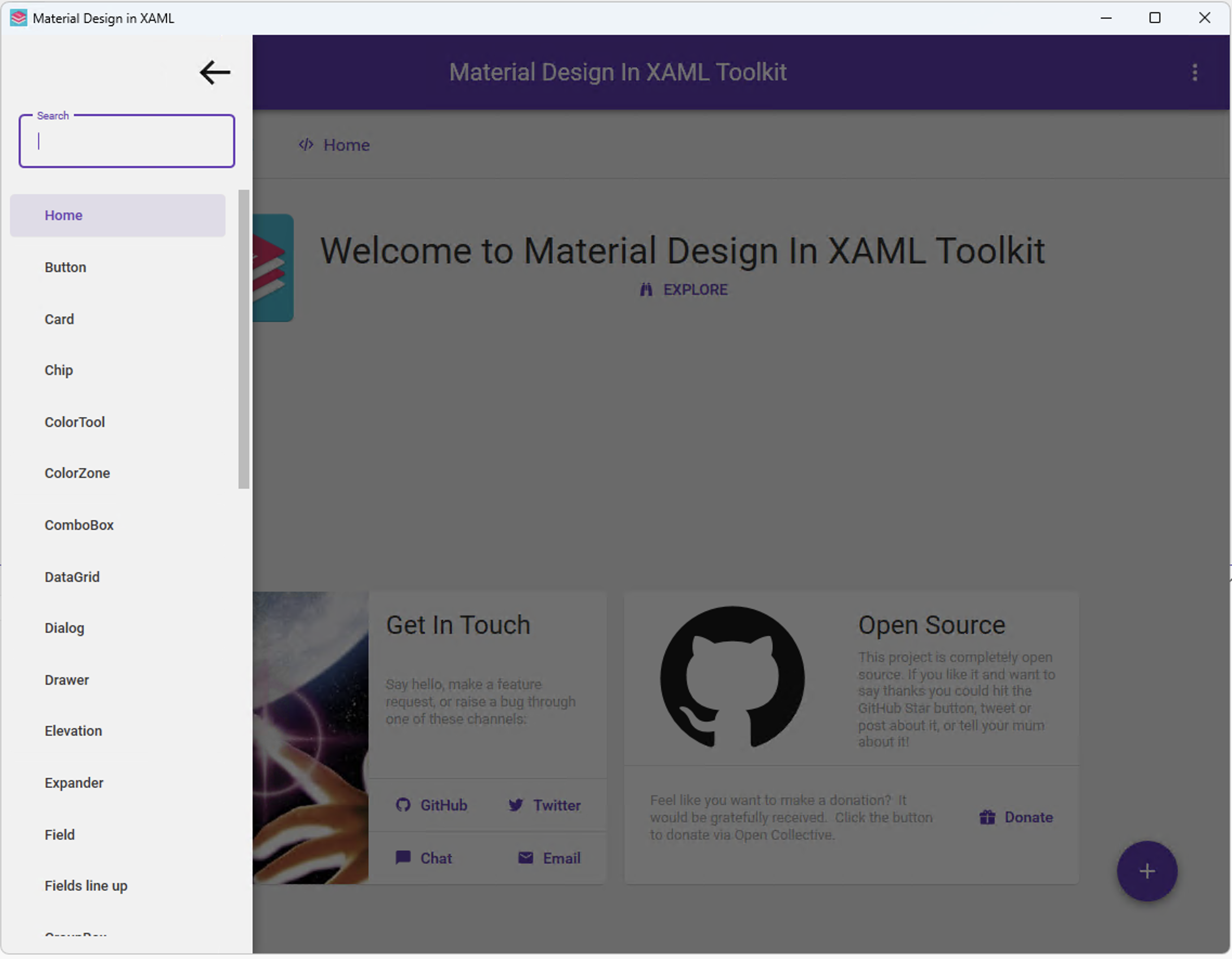
Here's the WPF app:
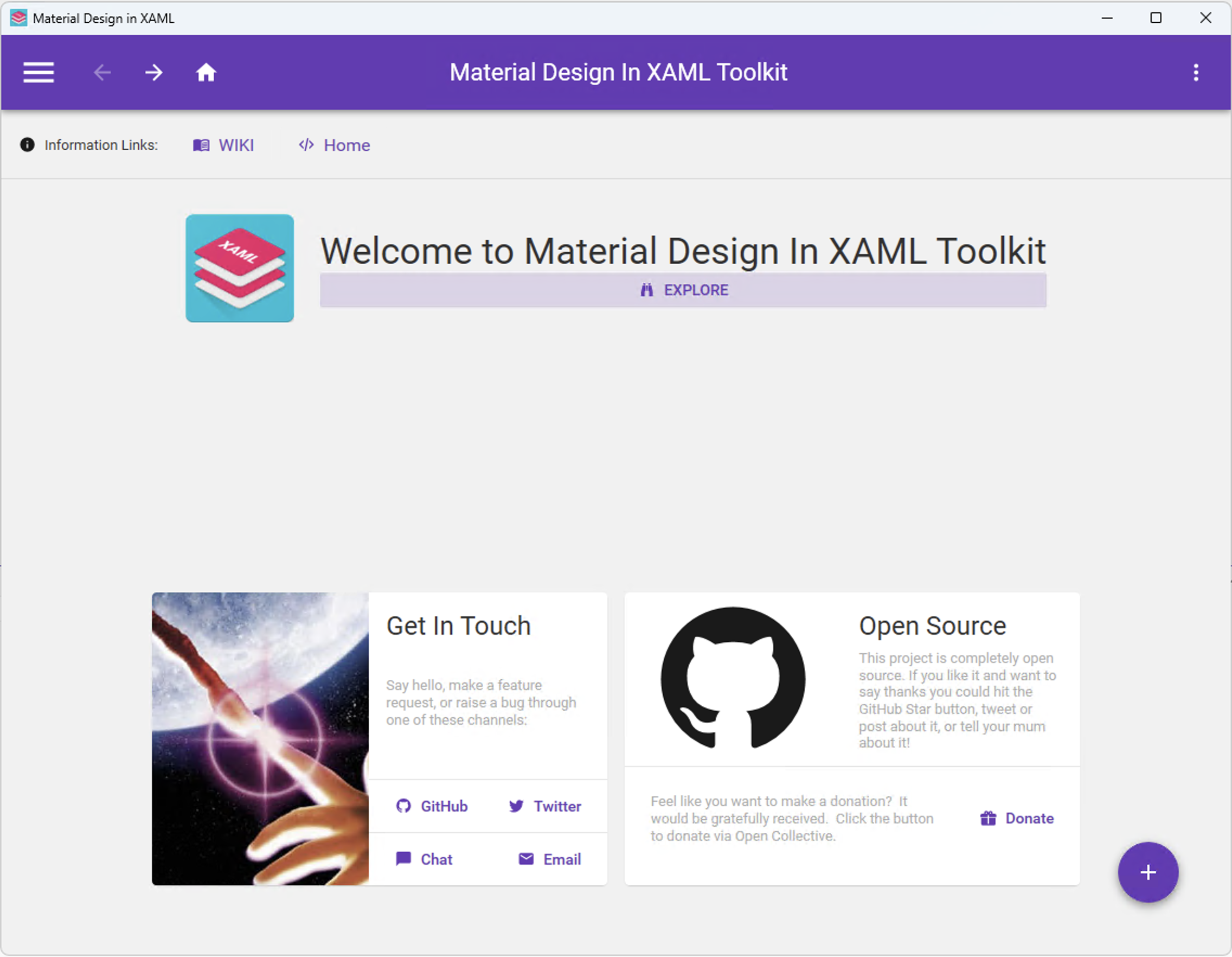
WPF app functionality is stacked on the left, with various UI rendered with Material Design.
A Modernization Skill Built for AI Agents
So how do you actually do it? The approach used here was structured around a dedicated WPF → Uno Platform Migration Skill — a detailed, agent-readable reference that covers every dimension of the migration, from project structure to MCP-based UI validation.
Let's unpack what that skill covers and why each section matters.
Project Structure & Setup
The first step is understanding the shape of the new solution. An Uno Platform app is a multi-head solution. A single shared codebase holds all the XAML, ViewModels, and business logic, and then separate platform heads are built automatically for various target platforms. The migration skill maps out exactly how to stand this up and where code should live. A clean Uno Platform shared project from the start makes everything that follows easier.
XAML Dialect Differences
WPF XAML and Uno Platform XAML are related but not identical. The skill covers the full namespace shift — clr-namespace: becomes using:, {Binding} gives way to {x:Bind}, and WPF's beloved Triggers and DataTriggers are replaced by VisualStateManager. This can be dense, but agents eat it up — give them the mapping table and they'll chew through a XAML file systematically. For a more human-consumable reference, check out the XAML equivalent mappings →
Lift and Shift UI
Not every WPF control has a direct Uno Platform equivalent. DockPanel, WrapPanel, UniformGrid — these need replacements from the Windows Community Toolkit for Uno. The skill provides a comprehensive mapping table so agents know exactly what to reach for instead of guessing — what's fully supported, and what needs a workaround.
The skill also goes deep on custom control migration (the DefaultStyleKey shift, PropertyMetadata vs FrameworkPropertyMetadata), C# API replacements (MessageBox.Show → ContentDialog, OpenFileDialog → FileOpenPicker, Dispatcher.Invoke → DispatcherQueue.TryEnqueue), navigation patterns using Uno.Extensions, and theming with Fluent/Material/Cupertino tokens. Platform-specific code is guarded with #if directives or partial classes — the skill covers the right patterns for each scenario.
MCP Tools: Grounded in Docs, Built for Validation
This is where things get genuinely powerful. Uno Platform ships MCP Servers that are remote and also run inside local builds of your app. Once connected, an AI Agent has access to MCP Tools like getAppState, tapElement, typeText, getVisualTree, and screenshot — interacting with the live running UI the same way a human tester would. This is key in validating migrated UI — no more guessing whether UI is functional.
Critically, the Uno Platform MCP Tools are also grounded in official documentation. Agents aren't guessing at APIs — they're working from the same source of truth as the docs site. This means generated code and validation steps are accurate, not hallucinated.
The testing workflow the skill describes is systematic: smoke test the launch, validate button commands, walk the navigation graph, test form validation, inspect data lists, verify theme toggling. Each platform head — Windows, Skia Desktop, Android, iOS, WASM — gets the same treatment.
Clean Architecture: Separate UI from Business Logic
One note that applies before any of this: clean architecture pays dividends for any modernization. If business logic is tangled up in code-behind, migration gets harder. The cleaner the separation between UI (XAML + ViewModels) and domain logic, the more of it travels to Uno Platform untouched. It's worth taking the time to tidy that up before the agents start migrating pages — context is everything.
Migrating a Real WPF App
Modernization can be approached in two ways, and the choice matters.
Two Paths
- In-place migration — update the existing WPF project to target a compatible .NET runtime, update project configuration, swap namespaces, and fix errors as they surface. Surgical, fast, and works well for smaller or well-structured apps.
- Iterative migration — keep the WPF project exactly as it is. Stand up a fresh Uno Platform project alongside it. Build out the core navigation shell first, then migrate one page at a time — feature by feature — until the Uno Platform app reaches full parity.
For this showcase, the iterative approach was chosen. It's more suited to larger WPF projects where human judgment is needed at key decision points — architectural choices, navigation design, platform-specific tradeoffs. The WPF app stays in production while the Uno Platform app grows alongside it. There's no big-bang cutover, and no pressure to migrate everything at once.
The Main Dashboard First
The migration started with the main dashboard and navigation structure — the skeleton that everything else hangs off. Getting navigation right early matters: it defines how pages are registered, how the user moves through the app, and how the MCP-based testing can walk the navigation graph. The Uno Platform app maintains the same navigation experience as the WPF original — familiar to anyone who knows the WPF version, and fully functional UI from the start.
Page-by-Page, Modernization by Agents
With the shell in place, each page was migrated by AI Agents working through the migration skill. The process for each page followed the same pattern: translate the XAML to WinUI 3/Uno Platform conventions, replace unsupported controls with mapped equivalents, update bindings to x:Bind, wire up ViewModels, and then validate with MCP Tools.
Feature parity was the standard. Every control, every interaction, every data binding — confirmed against the original WPF page using the MCP testing sequences, with agents running the validation steps and surfacing any gaps before moving on.
Now, here's the migrated Uno Platform app:
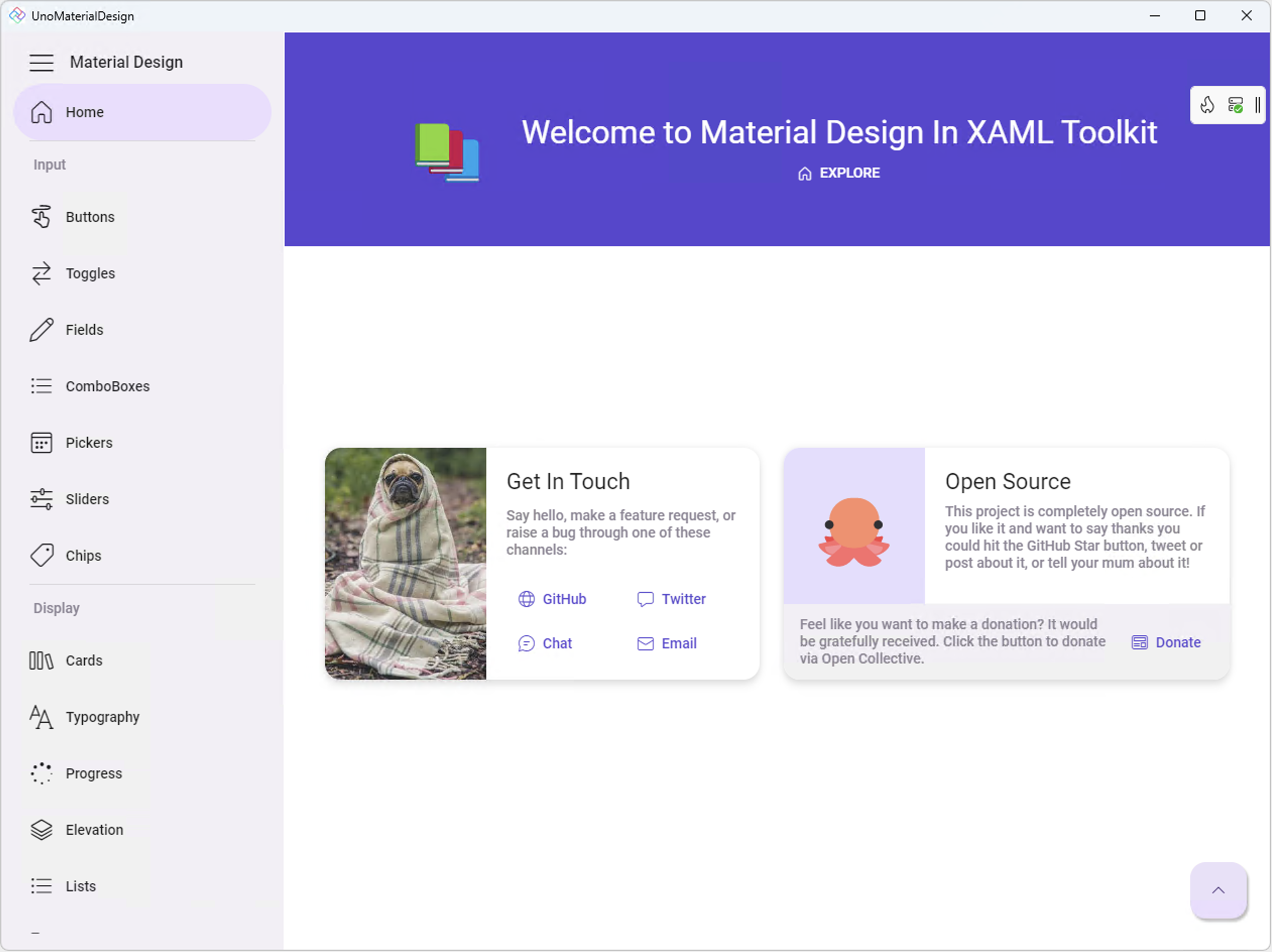
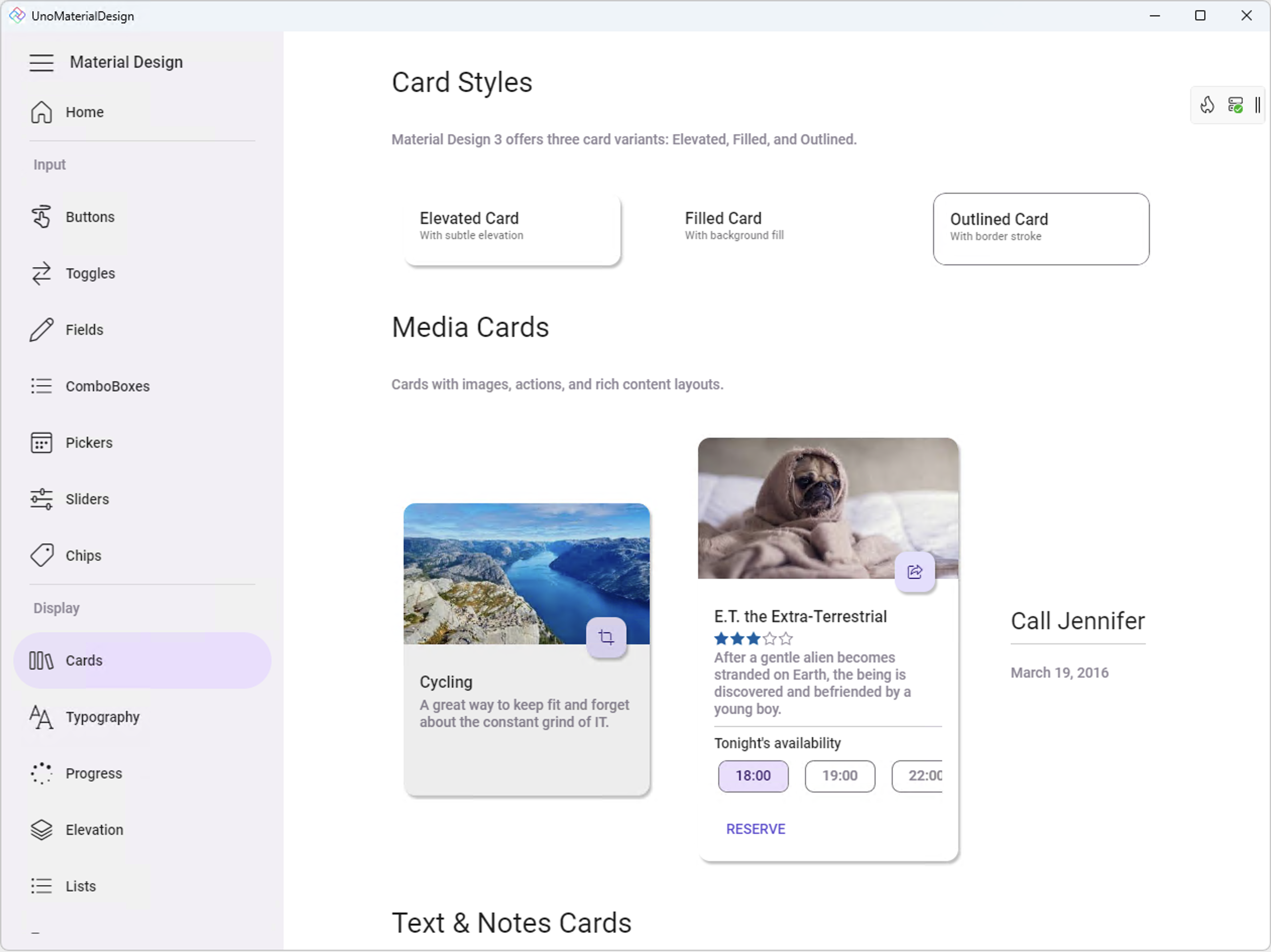
App functionality is still through left navigation, but UI components are nicely grouped. Each navigation goes to the corresponding page, with fully functional UI components.
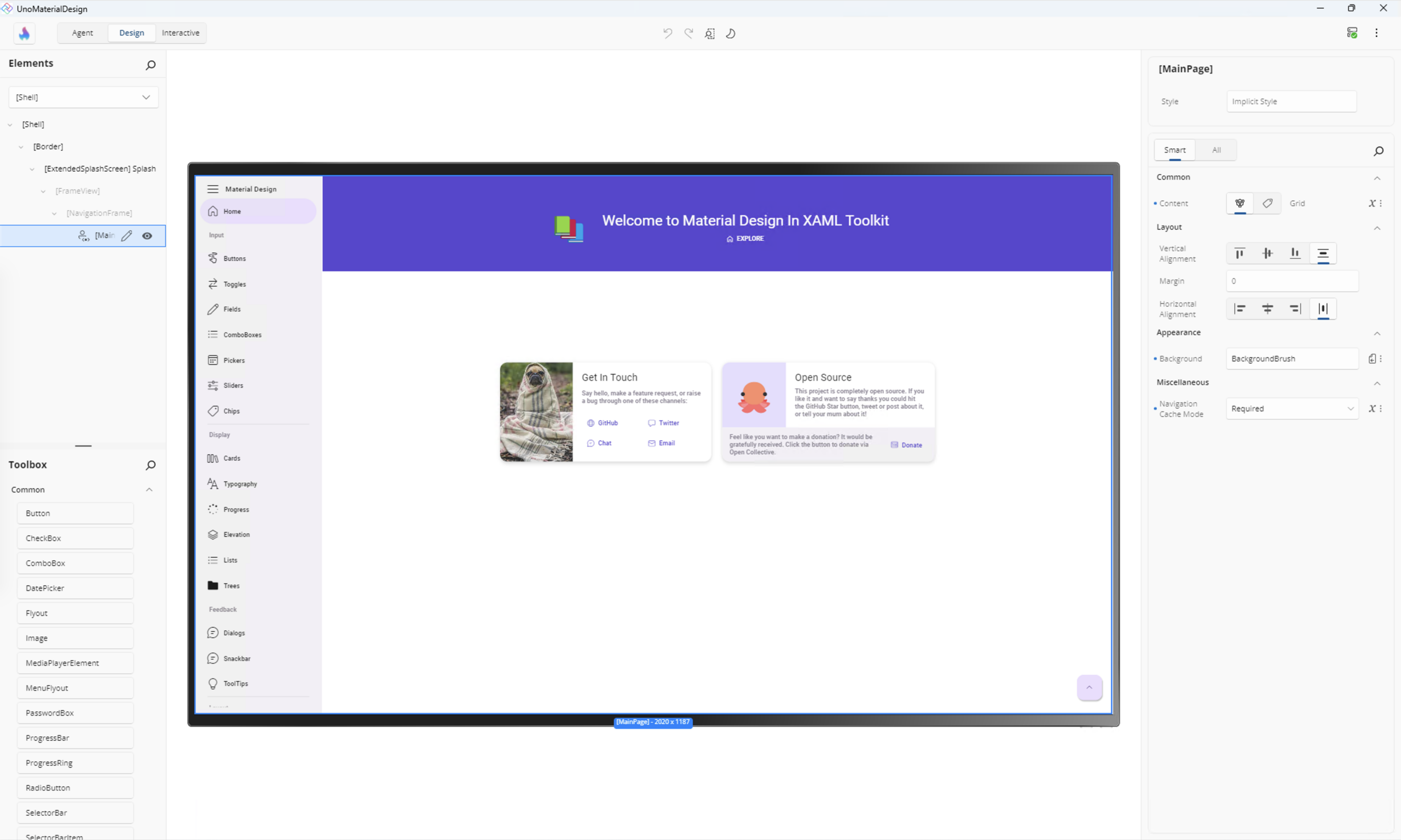
Because the modernized app is an Uno Platform app, developers now have access to Hot Design for UI tweaks — the runtime visual designer for cross-platform .NET apps. Any changes are kept in sync between design surface and IDE, thanks to Hot Reload.
And because Uno Platform apps are cross-platform by design, the migrated WPF app works in browsers through WebAssembly — same is true of other desktop and mobile targets.
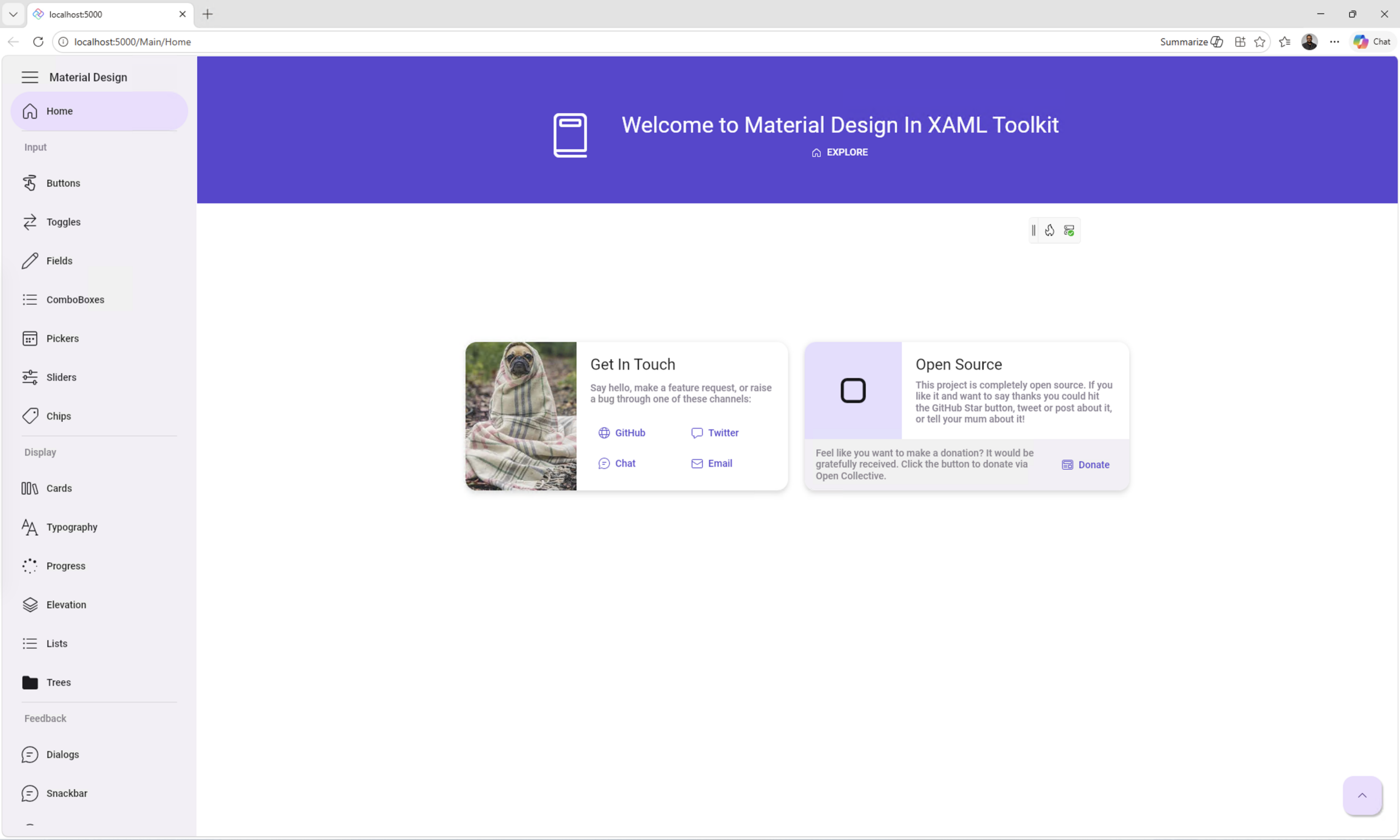
The source code for the migrated Uno Platform app is live on GitHub: UnoMaterialDesignWPFPort →
See It in Action
Check out the WPF migration story to Uno Platform:
Agents Do the Lift, Humans Set the Direction
Here's what this migration demonstrated clearly: AI Agents can do the heavy lifting of modernization. The mechanical work — namespace replacements, control mapping, binding syntax, VisualStateManager rewrites, test sequences — that's exactly the kind of work agents are built for. Fast, consistent, tireless.
Humans bring something different. The decision to go iterative rather than in-place. The call on how to structure navigation. The judgment on which platform-specific tradeoffs are acceptable. The eye for when a migrated page looks right but something feels off. Context is everything — and that context lives with the developer.
The tools are here. The skills are documented. The MCP Server gives agents eyes and hands inside a live running app. This is a really good time to think about modernizing WPF apps, and there's a lot of inspiration and momentum to draw from — Uno Platform is here to help.
Good luck with that migration project. Cheers developers! 🚀
Try Uno Platform: platform.uno · GitHub: unoplatform/uno · Discord: platform.uno/discord