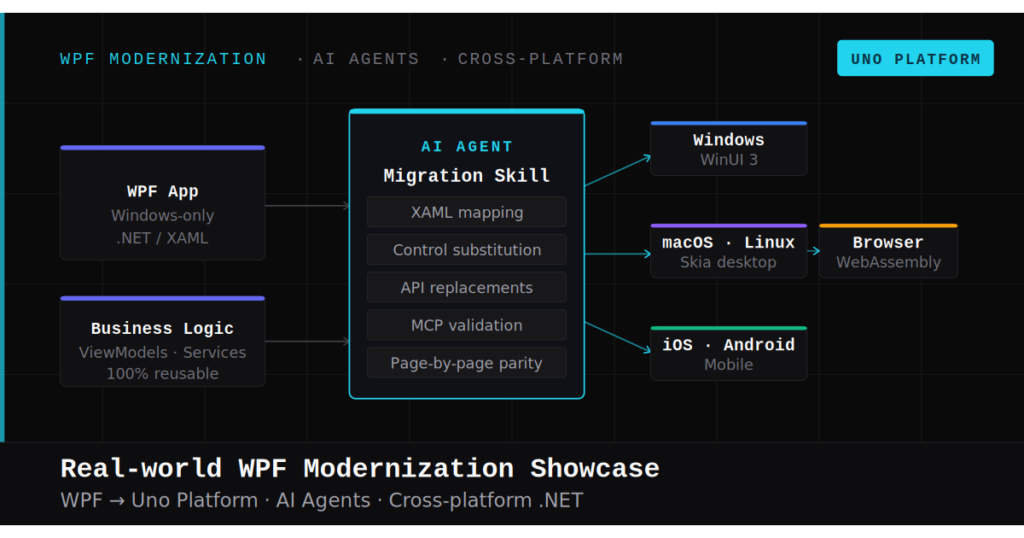
Legacy migration has always been the project everyone agrees should happen and nobody wants to start. AI agents have broken the economic model that made it irrational. The mechanical 80% of migration work is now dramatically cheaper and faster. The architectural 20% still requires your expertise.
Someone stands up in a quarterly review and says, "We need to modernize." Heads nod. Then someone asks how long it will take. The room gets quiet, the conversation drifts to something safer, and the legacy codebase survives another quarter.
I've sat in that room. And I've spent the last several months proving that the calculus has fundamentally changed: not because the frameworks got easier or the APIs got simpler, but because AI agents have broken the economic model that made legacy migration irrational.
The Old Economics Were Brutal
Let's be honest about why migration projects die. It's not technical complexity. It's economics.
A typical WPF-to-modern migration involves thousands of mechanical changes: namespace swaps from System.Windows to Microsoft.UI.Xaml, event renames from MouseDown to PointerPressed, control API differences, binding syntax adjustments. Each one is trivial. The aggregate is devastating.
A senior developer doing this work spends 80% of their time on changes that require zero architectural judgment. Find-and-replace with extra steps. But you can't skip the work. Miss one MouseLeftButtonDown that should be PointerPressed and you're debugging a runtime crash three weeks later.
So you estimate the project, multiply files by average time per file, add a buffer for unknowns, and arrive at a number that makes everyone uncomfortable. The project gets shelved. The legacy codebase grows another year older.
This was rational. Mechanical labor dominated the timeline, risk was high, and payoff was uncertain. AI agents break this cycle.
The 80/20 Split Is Real
When I started migrating Text-Grab, a real, shipping WPF OCR utility with 84 C# files, 15+ independent windows, MVVM architecture, and four localization languages, I discovered something I suspected but hadn't proven: the work splits cleanly into two categories.
The mechanical 80% is namespace translations, event renames, API surface mappings, attribute changes, using directive updates. This work requires precision but not judgment. A human will be perfect on file one, sharp on file ten, and making mistakes by file forty-seven.
The architectural 20% is deciding which of those 15 WPF windows should become pages, which should become dialogs, and which should be merged. It's choosing how to restructure settings from Properties.Settings to IWritableOptions with dependency injection. It's deciding that a Singleton pattern should become a registered service.
AI agents excel at the mechanical category and are genuinely bad at the architectural one. That's not a limitation. It's the entire point.
The Migration Contract
Here's what surprised me most: the quality of the AI's mechanical work is directly proportional to the quality of the instructions you give it.
For the Text-Grab migration, I created a CLAUDE.md file that serves as a migration contract. (The concept isn't tool-specific. Copilot uses .github/copilot-instructions.md, Codex uses AGENTS.md, Cursor uses .cursorrules. The format varies; the principle is the same: give your agent a structured context file.) Not a prompt. Not a vague description. A structured architectural document that specifies:
- Every WPF-to-WinUI mapping the agent needs (
Windowbecomes aPagein aNavigationView,Properties.SettingsbecomesIWritableOptions<T>,MessageBox.ShowbecomesContentDialog) - What NOT to do (don't create new Windows, don't use
{Binding}, usex:Bind, don't instantiate services directly) - The target architecture (single-shell navigation, MVUX models instead of ViewModels, DI throughout)
- Phase-by-phase scope so the agent works on bounded problems, not the entire codebase at once
This document captures human judgment once and applies it consistently across every file. The agent reads it before every task and follows it mechanically, which is exactly what you want for mechanical work.
The result: the agent handles namespace swaps, event renames, and API translations with a consistency no human can match across 84 files. It doesn't get bored on file sixty-three. It doesn't forget that Visibility.Hidden doesn't exist in WinUI and needs to be Visibility.Collapsed. It applies the same rules to the last file that it applied to the first.
The Verification Loop
The migration contract handles code generation. But writing code is half the problem. Knowing whether it works is the other half.
Uno Platform's MCP servers close this gap. The agent doesn't just write code and hope. It launches the migrated app, inspects the visual tree, takes screenshots, and verifies that what it built actually renders correctly. When something's wrong, it iterates: adjusting XAML, rebuilding, re-verifying. A closed loop that catches runtime bugs inside the agent's workflow, not three weeks later in QA.
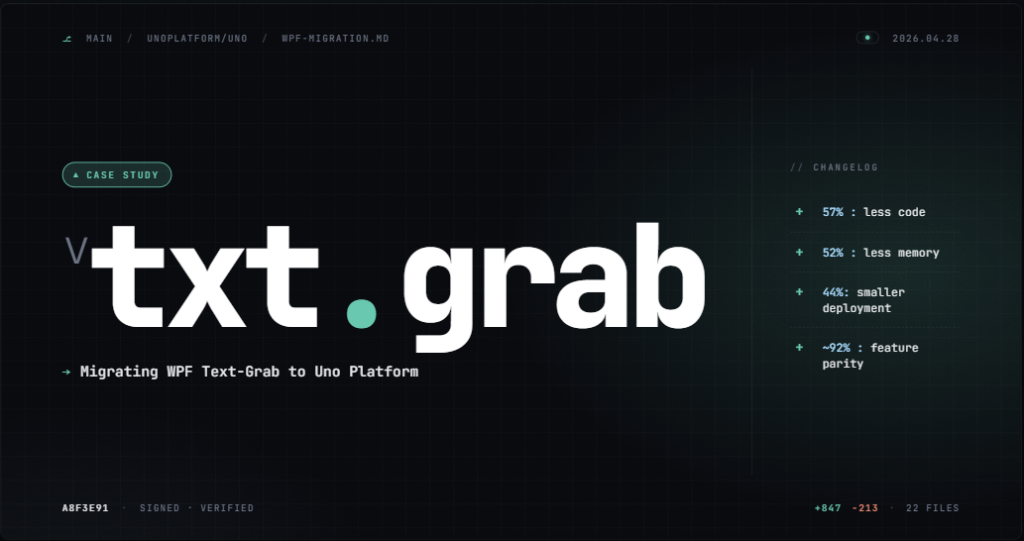
Text-Grab now runs on Windows and WebAssembly from the same shared codebase. This was an AI-assisted migration, not a push-button conversion. Across 84 files, seven phases, and four localization languages, the work was reviewed and validated step by step. The outcome: 26 of 30 features reached full parity, 4 were improved in the process, and only 2 minor wiring gaps remain. A follow-up deep dive will unpack the actual migration process, including the steps, trade-offs, and effort required to get there.
This Isn't "AI Replacing Developers"
I want to be precise about what happened here, because the narrative around AI and development is full of hype.
The AI agent did not design the architecture. It did not decide that 15 windows should become 5 pages and 3 dialogs. It did not choose MVUX over MVVM. It did not determine the navigation hierarchy or the settings migration strategy.
A human made every architectural decision. The AI executed those decisions with mechanical precision across a large codebase. This is not replacement. This is leverage, the same kind compilers gave us over assembly and CI/CD gave us over manual deployment.
The New Economics
What used to require a team working for six months can now be prototyped in weeks. Here's what the Text-Grab migration produced:
| Metric | WPF | Uno | Change |
|---|---|---|---|
| Total source lines | 37,565 | 15,139 | -60% |
| Explicit NuGet packages | 16 | 3 | -81% |
| Native binary weight | ~70+ MB (Magick.NET) | 0 (SkiaSharp bundled) | Eliminated |
| Service interfaces | 0 | 14 | Fully testable |
| Unit test lines | 0 | 1,208 | New |
| Platform reach | 1 (Windows) | 3+ (Win, Web, macOS/Linux ready) | 3x+ |
Read that first row again: 60% less code delivering the same features. The codebase didn't just move to a new platform; it got fundamentally cleaner. Fifteen independent WPF windows collapsed into a single NavigationView shell with lazy page loading. Magick.NET's ~70+ MB of native ImageMagick binaries were replaced by SkiaSharp at zero additional cost. And the Uno version has 14 service interfaces and 1,208 lines of unit tests where the WPF original had neither.
To be clear: I'm not claiming AI agents make migration trivial. Architectural decisions still require experienced developers. The migration contract still requires someone who understands both the source and target platforms. Verification still requires human judgment. But the mechanical work, the part that consumed 80% of the timeline, is now dramatically cheaper and faster.
If you're sitting in that quarterly review and someone asks how long modernization will take, the answer has changed. Not because the work disappeared, but because the expensive part got automated.
Try It Yourself
You don't have to take my word for it. Pick one screen from your WPF app. Write a migration contract that specifies your target architecture. Set up an AI agent with Uno Platform's MCP server for documentation verification. Migrate that single screen.
The mechanical 80% will happen faster than you expect. The architectural 20% will still require your expertise. And you'll have a concrete data point for that quarterly review.
The economics of legacy migration have changed. The question is no longer whether you can afford to modernize. It's whether you can afford to wait.